
Public preview Open to every account; not feature-complete, and a change can still break an integration. See Product release phases.
Networks
Add a wallet
1
Open Payout accounts
In the dashboard sidebar, click Balances. Then click the Payout accounts tab. The Digital wallet payouts section is below your bank accounts.
2
Start a new wallet
Click Add digital wallet. The Add digital wallet panel opens.
3
Choose the currency and the network
- Pay me in: choose EUR or USD.
- Network: choose the network your wallet receives on. Base is selected first.
4
Enter the wallet
- Wallet address: paste the address. “Payouts to a wallet cannot be recalled. Check the address before you save it.”
- Name: optional, for example “Treasury”.
- Who holds this wallet: choose My own wallet — I hold the keys or An exchange account that holds it for me.
5
Save
Click Save wallet.
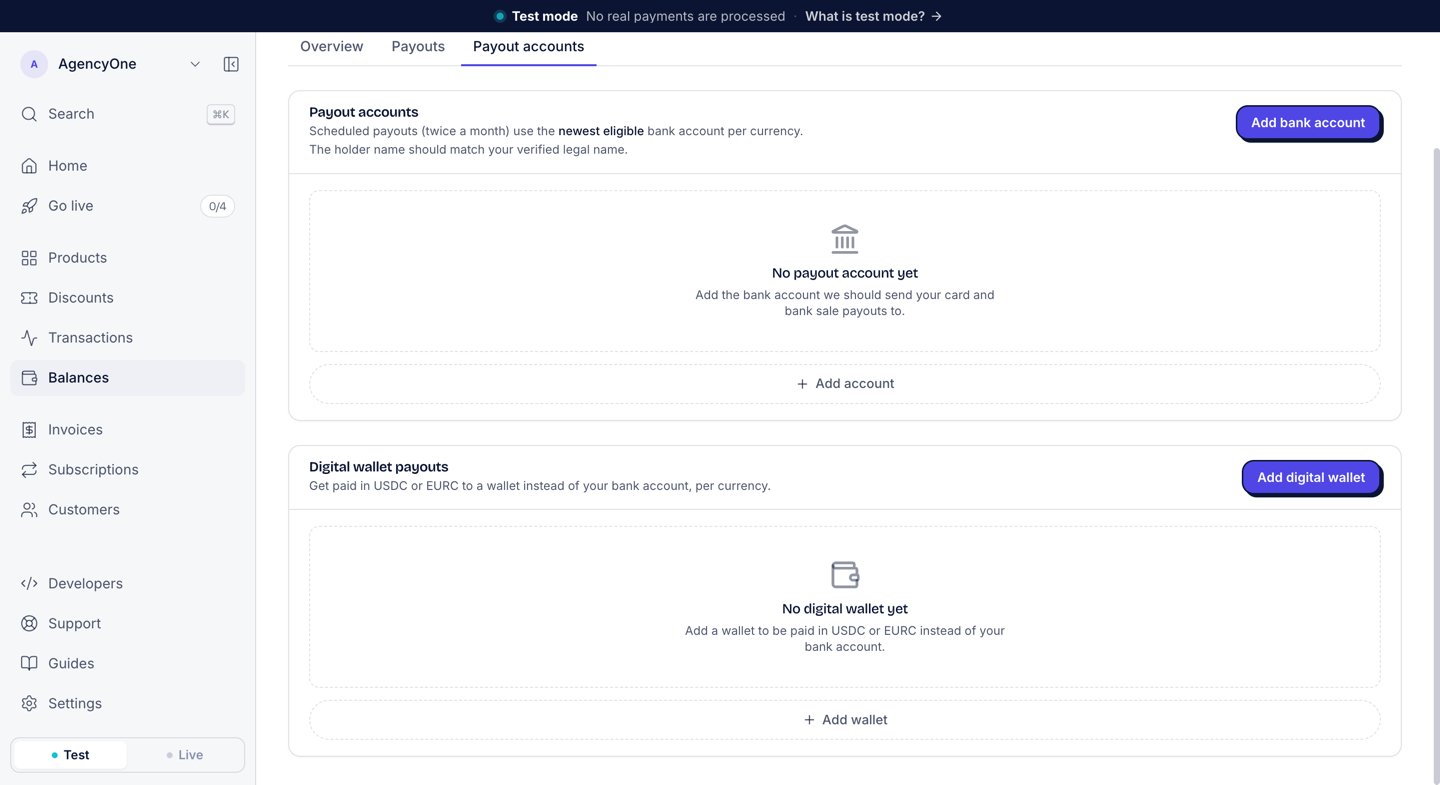
The Digital wallet payouts section appears below your bank accounts once stablecoin payouts are on for your account.
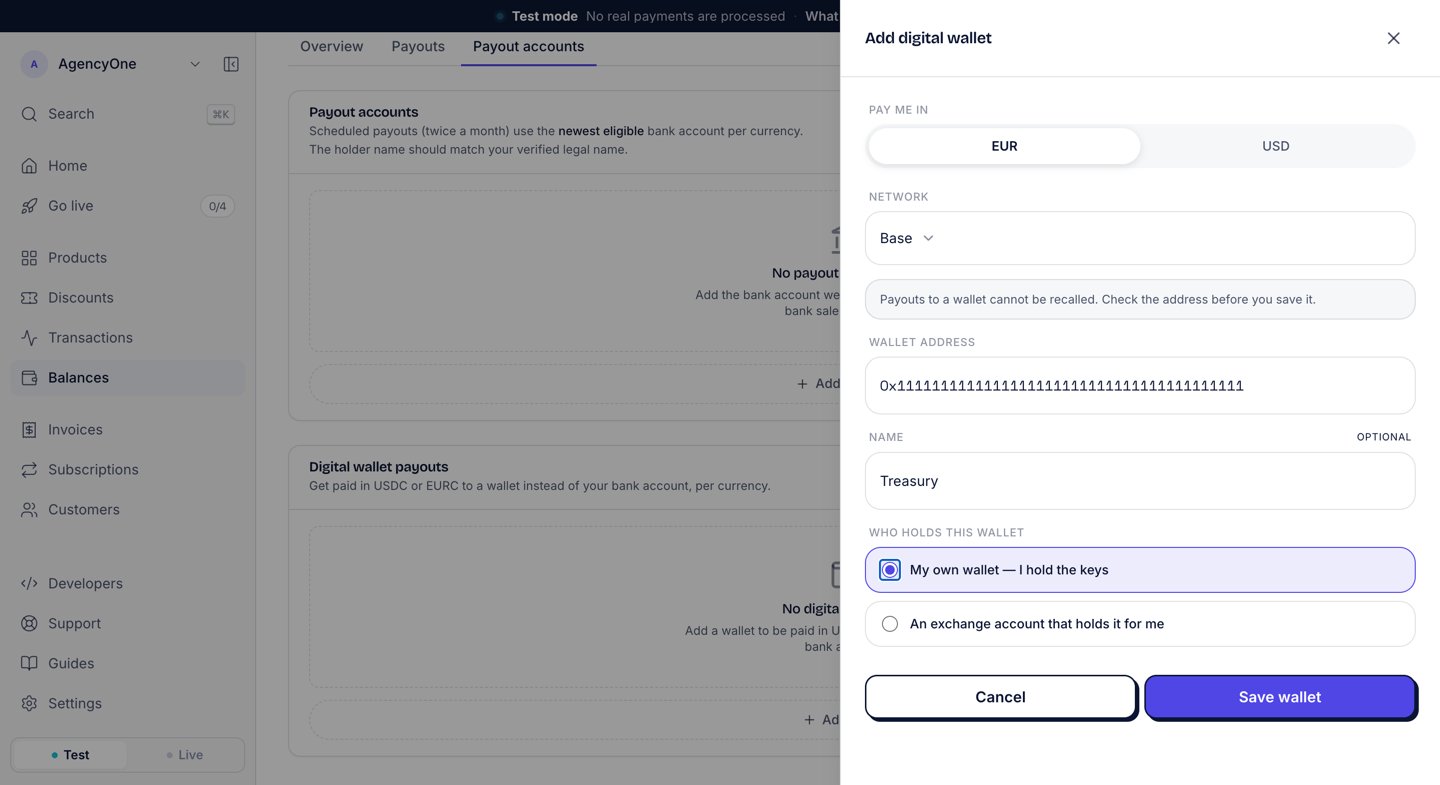
The Add digital wallet panel for a EUR payout on Base to a wallet you hold the keys to.
Pay a currency to the wallet
Saving a wallet does not move your payouts to it. Your bank account keeps receiving them until you choose the wallet:- On the wallet’s row, click Use for EUR payouts or Use for USD payouts.
- The row then shows “Pays your EUR payouts.” (or USD).
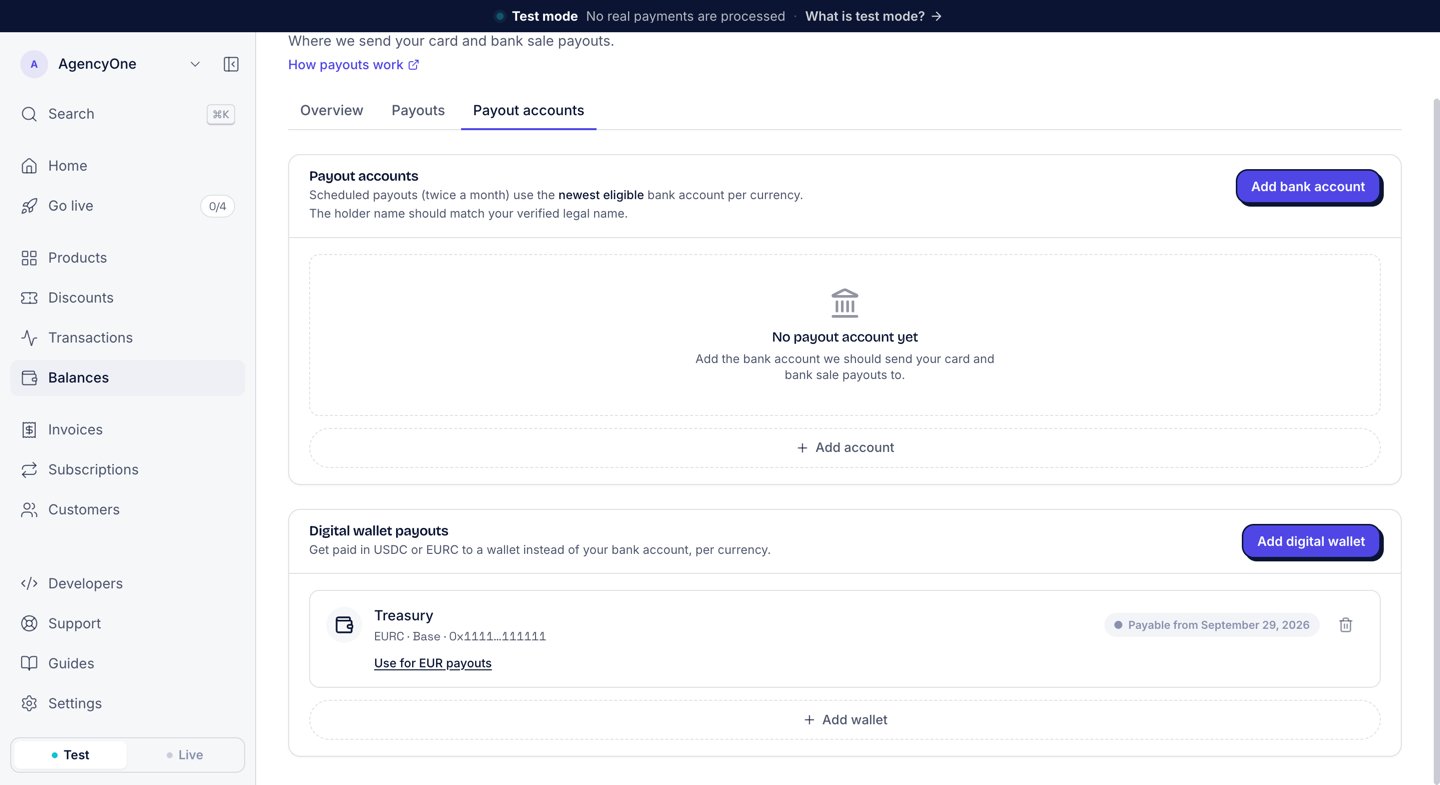
A saved EURC wallet on Base, before it pays your EUR payouts. The badge shows the date it becomes payable.
The 24-hour wait
AgentaOS does not pay a new wallet until 24 hours after you save it. Until then, its row shows Payable from and the date. After that, it shows Ready for payouts. If a payout window falls inside those 24 hours and the wallet pays that currency, the payout waits for the next window. It does not go to your bank account instead. You cannot edit a wallet’s address, network or currency. To use a different address, add a new wallet. The new wallet gets its own 24-hour wait.Fees
A stablecoin payout carries two fees, both listed on the payout statement:- Payout fee: the same as a bank payout. See Payouts.
- Wallet corridor fee: 1% of the amount paid out, plus €2 or $2, plus the cost of the bank transfer that funds the stablecoin payout. The network fee is included.
Next steps
Payouts
Your balance, the schedule, and the documents for each payout.
Add a payout account
Save a bank account for the currencies you do not pay to a wallet.