
Create a plan
In the dashboard, go to Products and click New product. Under Pricing, click Subscription, then pick Monthly or Yearly. The price you type is the plan price before VAT, unless you tick Prices include VAT. Below the price, the form shows what buyers pay. For a €29 plan it reads “EU consumers pay €35.96 (€29.00 + €6.96 VAT), you receive €29.00 before fees. Everyone else pays €29.00.”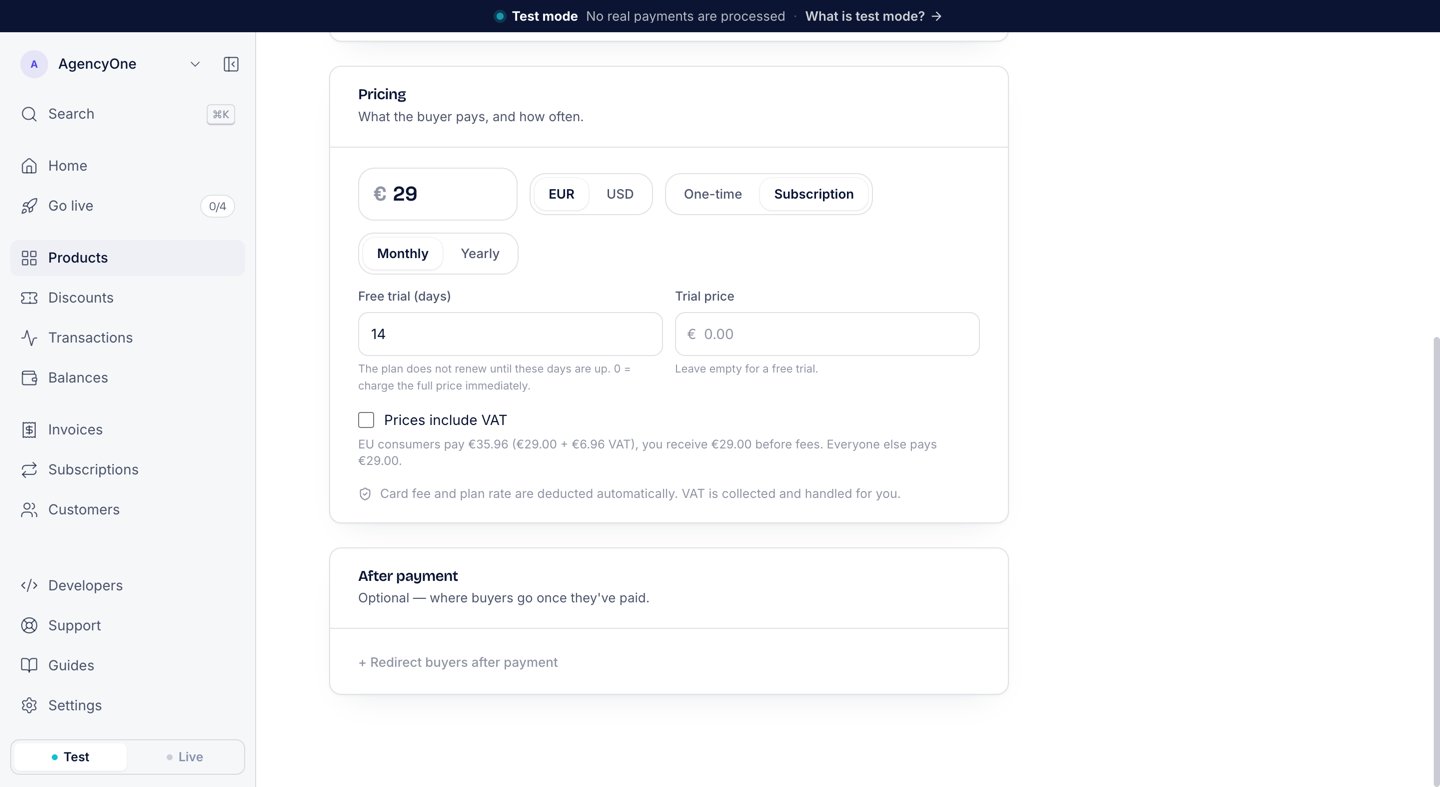
Pricing for a monthly plan at €29 with a 14-day free trial.
One buyer, several subscriptions
One email can hold several active subscriptions on the same plan at once, for example one person paying for several teams. AgentaOS keeps one customer record for the email and a separate subscription for each payment, with no limit. If your product allows one subscription per account, enforce it on your side: the firstcheckout.session.completed carries your metadata and the subscription’s id in metadata.subscriptionId, so keep that pair and show the link only to a buyer who has no active subscription. The subscriptions list is paged only; it cannot be filtered by email or by link.
Subscription statuses
A subscription moves through these statuses. The dashboard shows the status on each subscription, and the API returns it asstatus.
The dashboard shows the next charge date under Renews. Each paid cycle produces an invoice. The SDK reference lists every status, including the rare ones.
Free trials
A trial belongs to the plan. Type the number of days in Free trial (days), from 1 to 730. At checkout the buyer sees €0.00 due today and the price that follows the trial.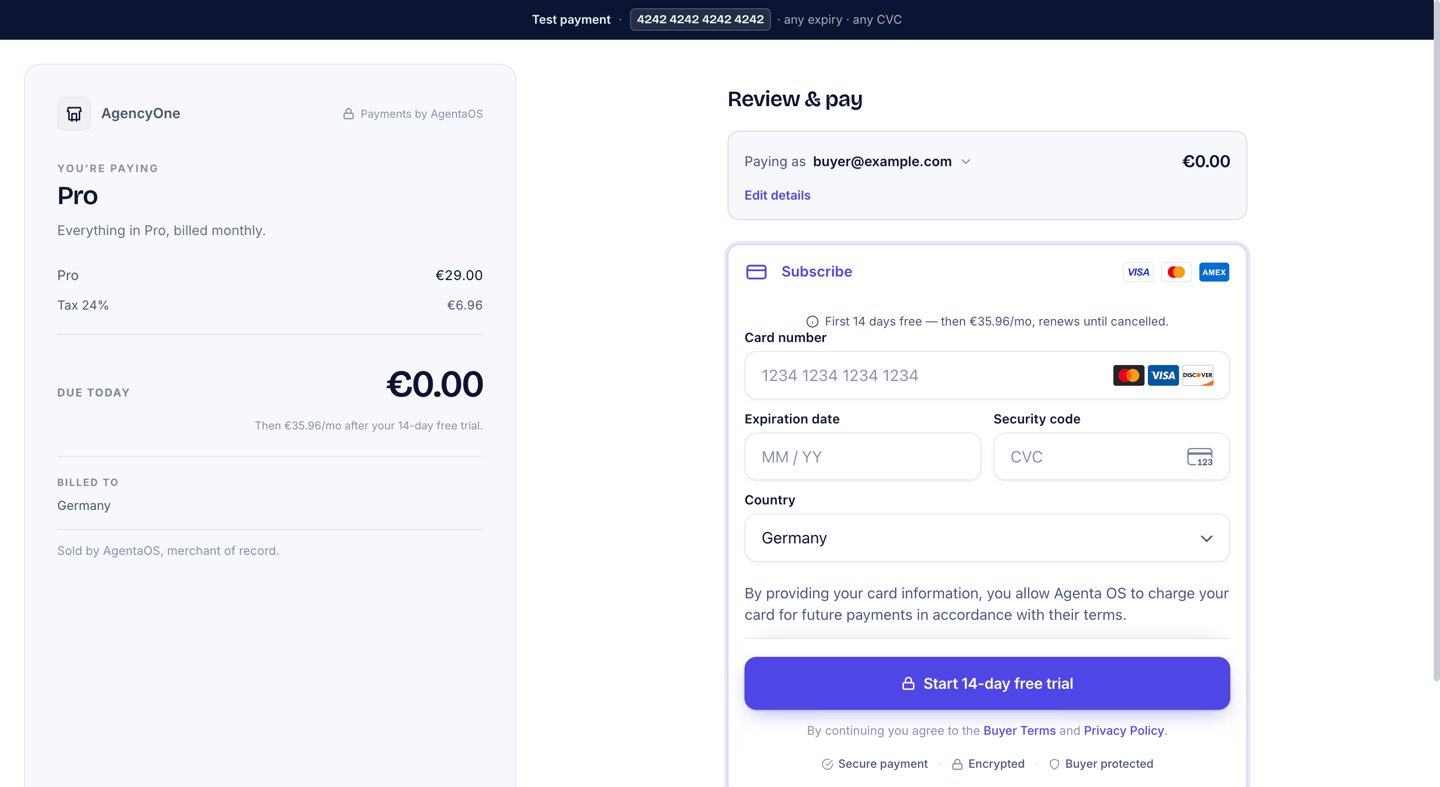
The buyer saves a card and pays nothing today.
trialing. The first charge happens when the trial ends. The buyer and you each get an email when the trial starts.
To charge for the trial instead of giving it free, type an amount in Trial price. That amount covers the whole trial, and the buyer pays it at checkout.
The
checkout.session.completed webhook for a free trial has amount "0", trial: true, and trial_end. Treat it as “trial started”, not as money received. See Webhook events.Upgrade and downgrade
To move a subscriber to another plan, open the subscription and click Change plan. Pick the new plan. The dialog shows what the change costs before you confirm it.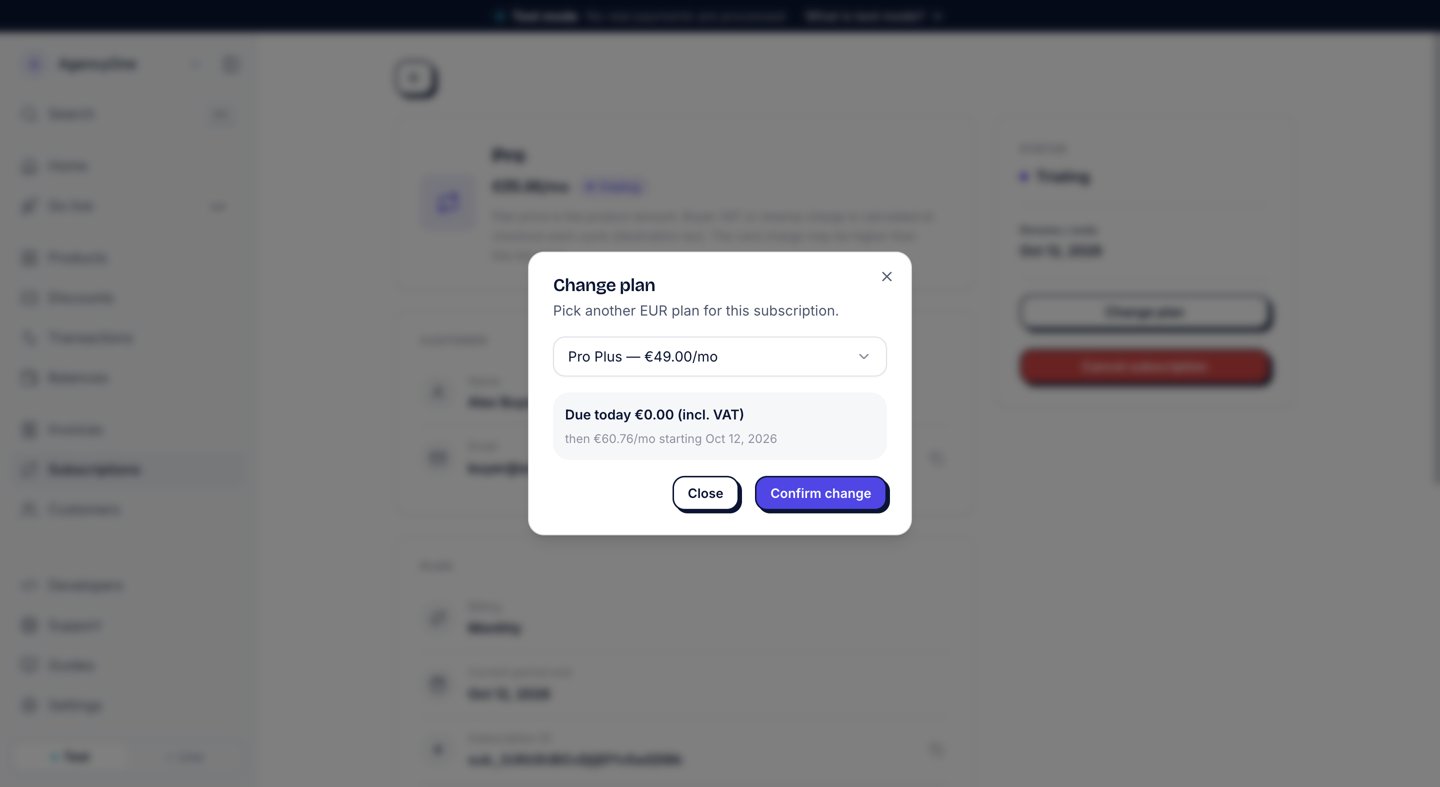
An upgrade from Pro to Pro Plus during a trial.
- Upgrade (the new plan costs more): the buyer pays the prorated difference today on their saved card, and the new plan applies at once. During a free trial nothing has been paid yet, so the amount due today is €0.00.
- Downgrade (the new plan costs the same or less): nothing is charged today. The buyer keeps the current plan until the current period ends, and then the new plan starts.
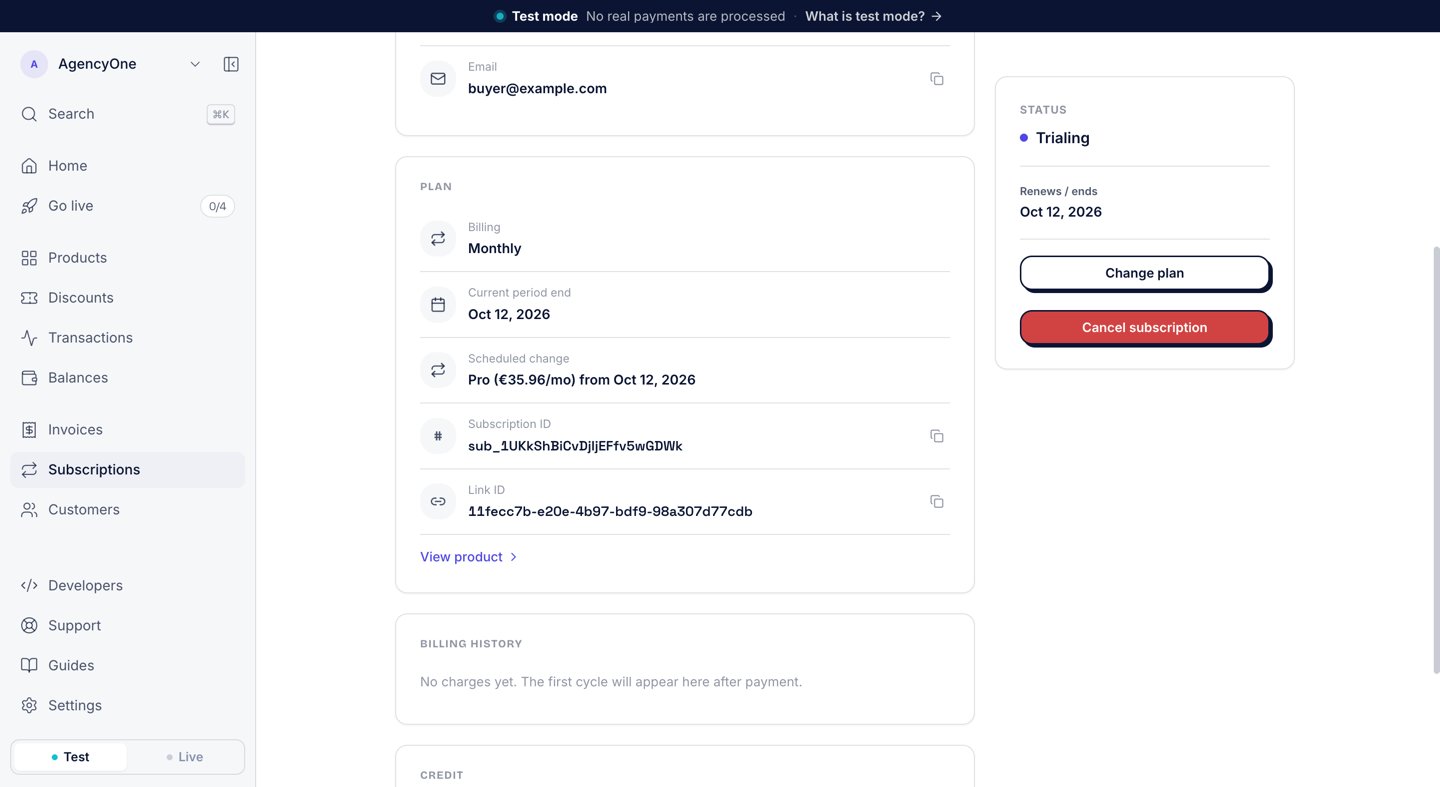
A downgrade to Pro, scheduled for the end of the period.
trialing or active.
Cancel
Click Cancel subscription on the subscription page and confirm. The subscription stays active until the end of the current period, and then it ends. The buyer keeps what they paid for, and nothing is refunded.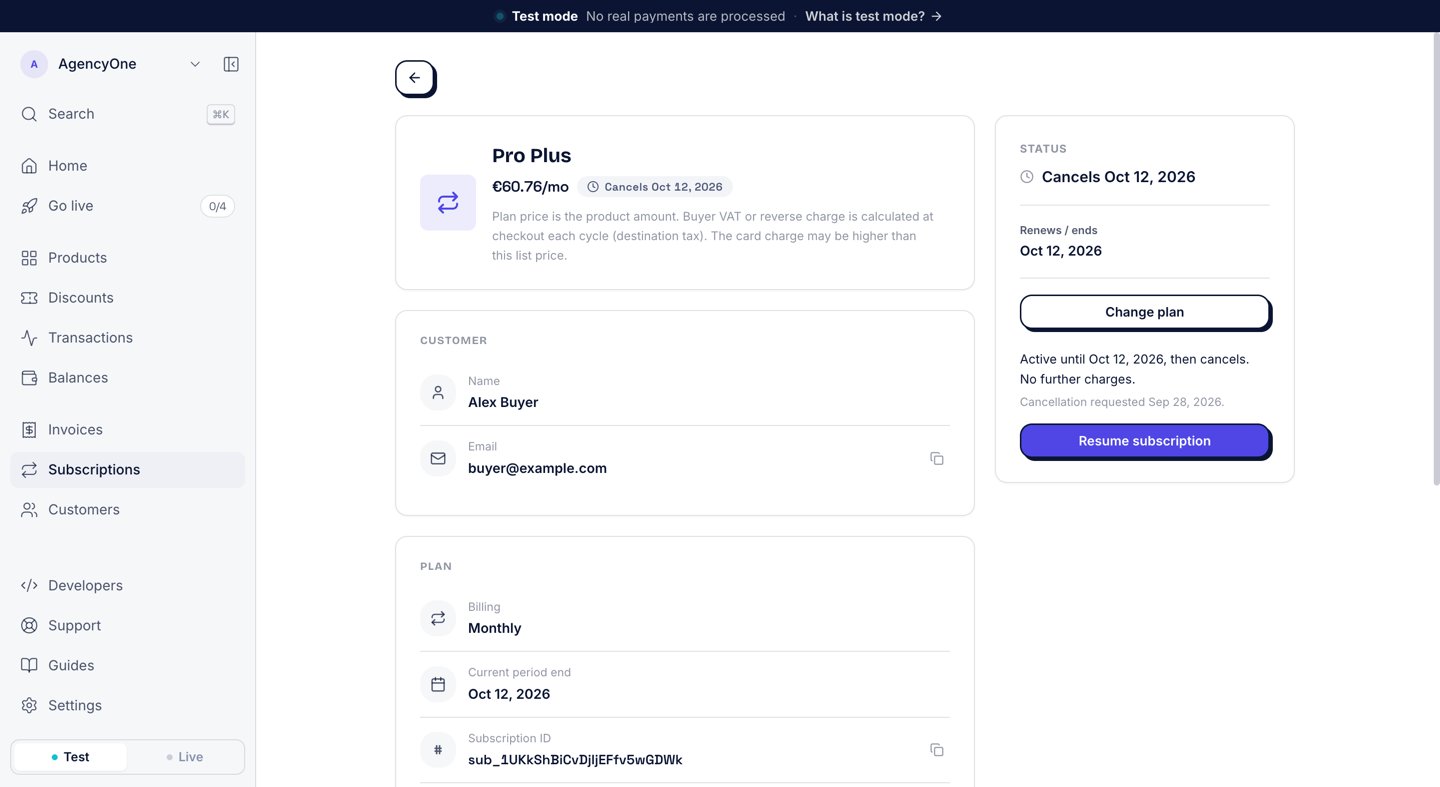
A cancellation scheduled for the end of the period.
Credits
A credit takes money off a subscriber’s next invoice, for example to make up for two days of downtime. It is not a refund: no money goes back to the card, and receipts already sent stay as they are. The credit comes out of what you earn on that invoice. To give one, open the subscription and click Give credit under Credit. Type the Amount and a Reason, then click Confirm credit. The form says of the reason: “The subscriber never sees this. It is what you and your team read later.”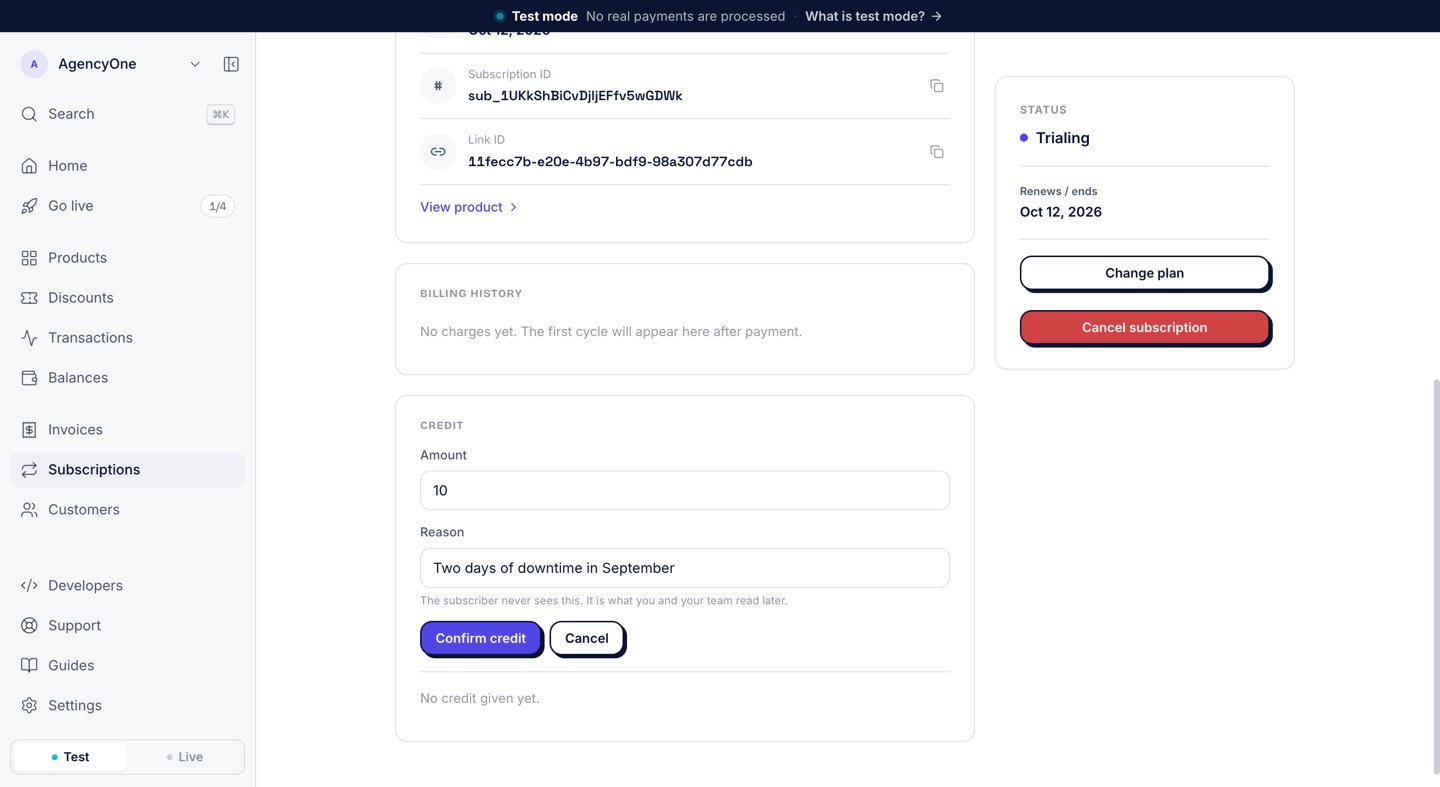
Giving a €10 credit from the subscription page.
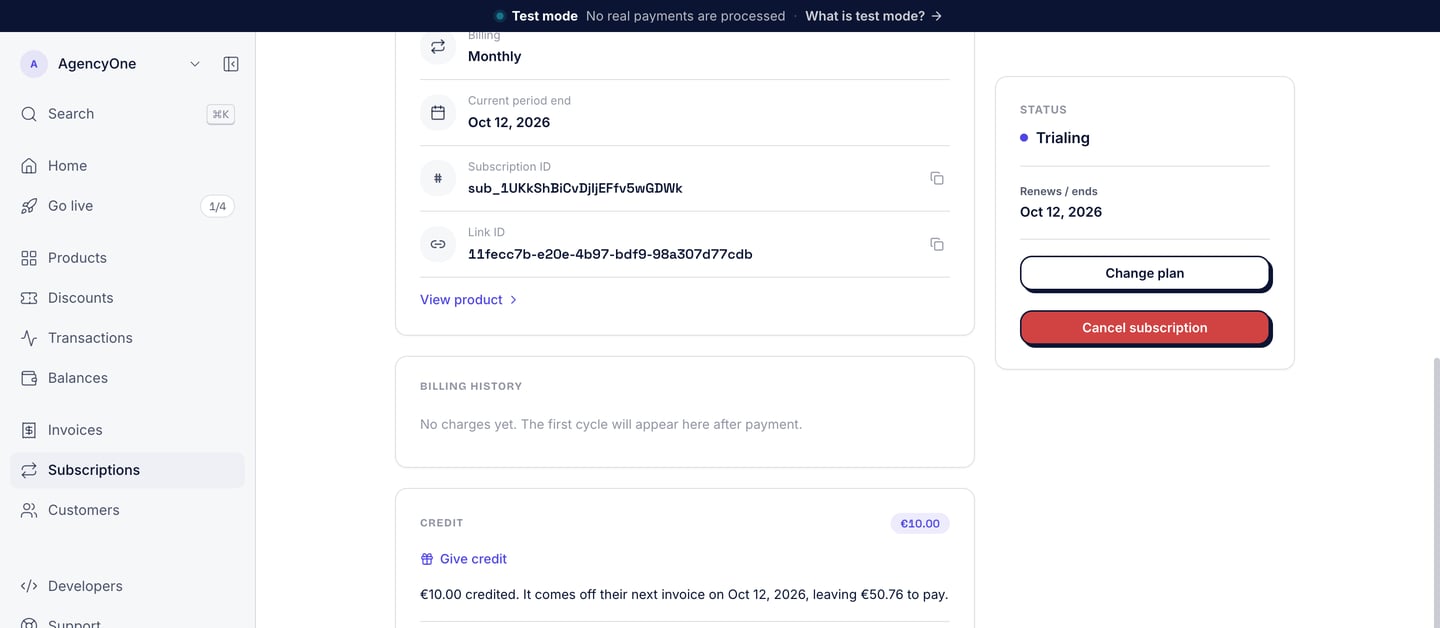
The credit and the smaller next invoice.
- A credit can cover the whole next invoice, and no more.
- The subscription must be
activeortrialing, not scheduled to cancel, and without a scheduled plan change. - While a subscriber has credit left, a plan change waits until their next invoice.
- The unspent credit belongs to the buyer, and it is shared by every subscription they have with you.
- Only an owner or admin can give or see credits. An API key cannot.
Discount codes
A buyer can type a discount code at checkout. On a subscription, the discount applies to the first invoice only, and every renewal charges the full price. The subscription records which code the buyer used, so you can list the subscribers each code brought in. See Discount codes.Emails and receipts for the buyer
- A receipt email for every paid cycle, with the receipt attached as a PDF. AgentaOS issues it as the merchant of record, and the subscription page lists each paid cycle under Billing history. See Invoices and Receipts.
- An email when a free trial starts.
From code
For a signed-in user who upgrades inside your app, see the runnable demo on Paywall for logged-in users. The same actions are in the SDK (@agentaos/pay) and the CLI (agenta). The SDK needs an API key: const agentaos = new AgentaOS(process.env.AGENTAOS_API_KEY!). Code uses the subscription id that subscriptions list returns.
- CLI
- SDK
direction (upgrade, downgrade, or revert), dueTodayMinor, nextInvoiceMinor, and nextInvoiceAt. Amounts that end in Minor are in minor units: 4900 is €49.00. Show the quote to the person who approves the change before you apply it, because an upgrade charges the card. Credits need an owner or admin who is signed in, through agenta login or the dashboard session: an API key is refused. Every field is in the reference: SDK subscriptions and CLI subscriptions.
Next steps
Sell a subscription
Create a plan, take the first subscriber, change their plan, and cancel.
Discount codes
Take money off the first invoice, or track who sent a buyer.
Embedded checkout
Show the checkout on your own page.
Webhook events
React to trials, renewals, failed payments, and plan changes.