
Home
Home is the page you see after you sign in. One card names the next step to your first real sale: Create your first product, then Verify your business, then Go live. Under the step, a count says how many of the three are done, and All steps opens the full list on the Go live page. After you go live, the card says “Setup done. Next: your first sale.” New product at the top right opens the product form.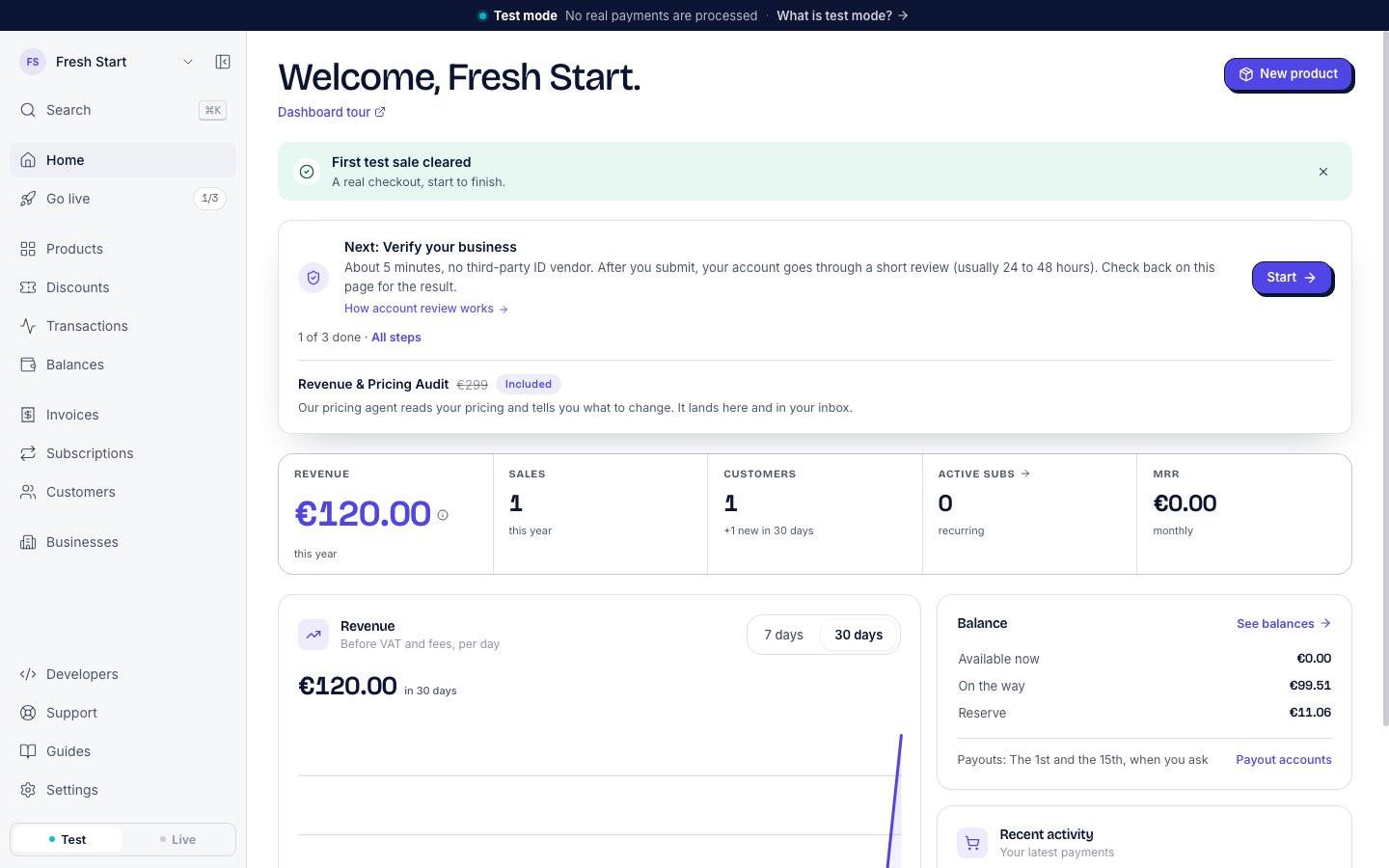
Home with the next step. One step of three is done.
Go live
Go live tracks what is left before you can take real payments. The chip next to it counts the steps done, such as 1/3. The main step is to verify your business. See Go live and Account review.Products
Products lists everything you sell. Each product has a price, one-time or subscription, and a buyer link you can copy from its row. The Checkouts tab lists each checkout a buyer started. See Products and payment links.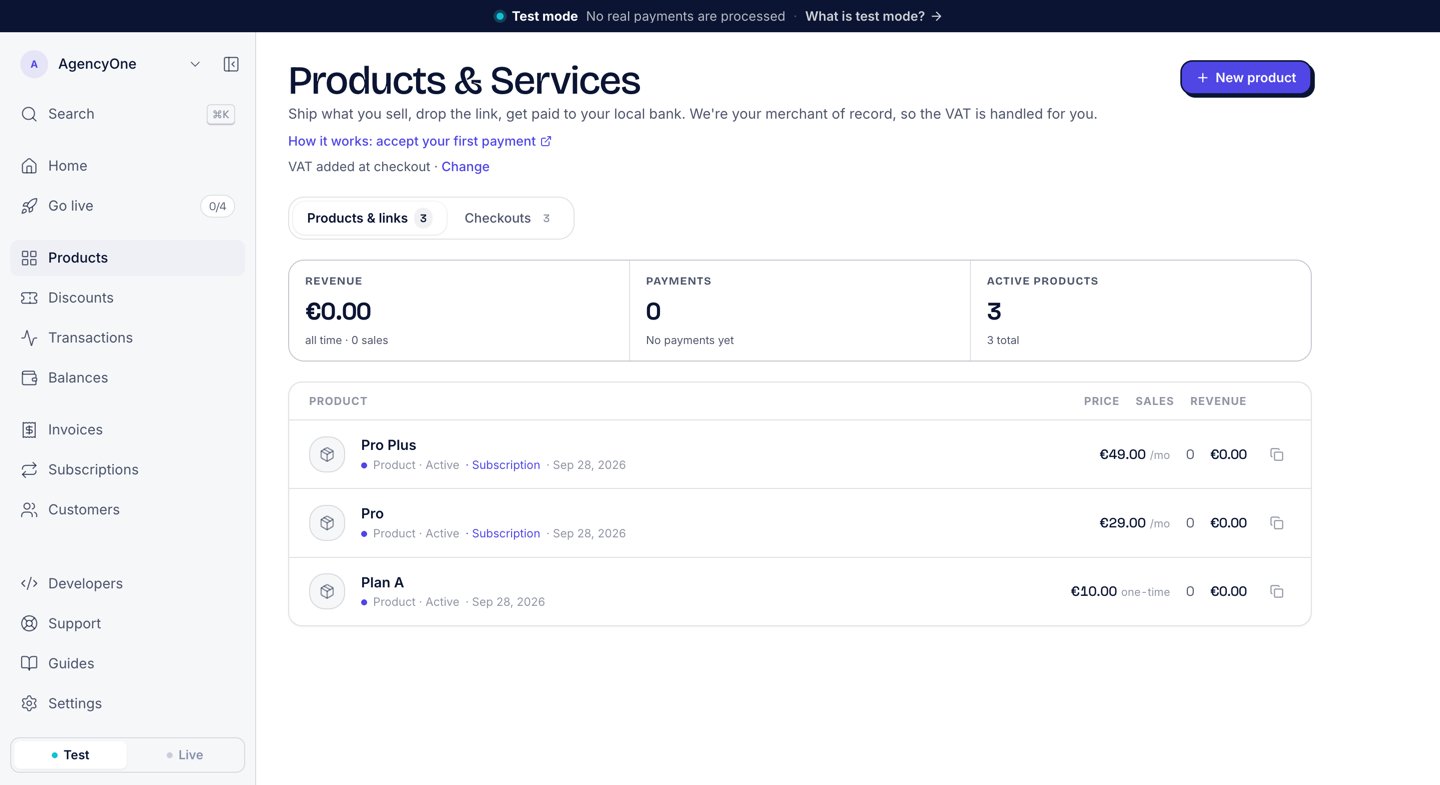
The Products page with three products.
Discounts
Discounts holds the codes a buyer can type at checkout for a lower price. See Discount codes.Transactions
Transactions lists every payment and payout on your account. Search by name, amount, or ID. Filter by period, by Payments or Payouts, and by currency. Export CSV downloads the list.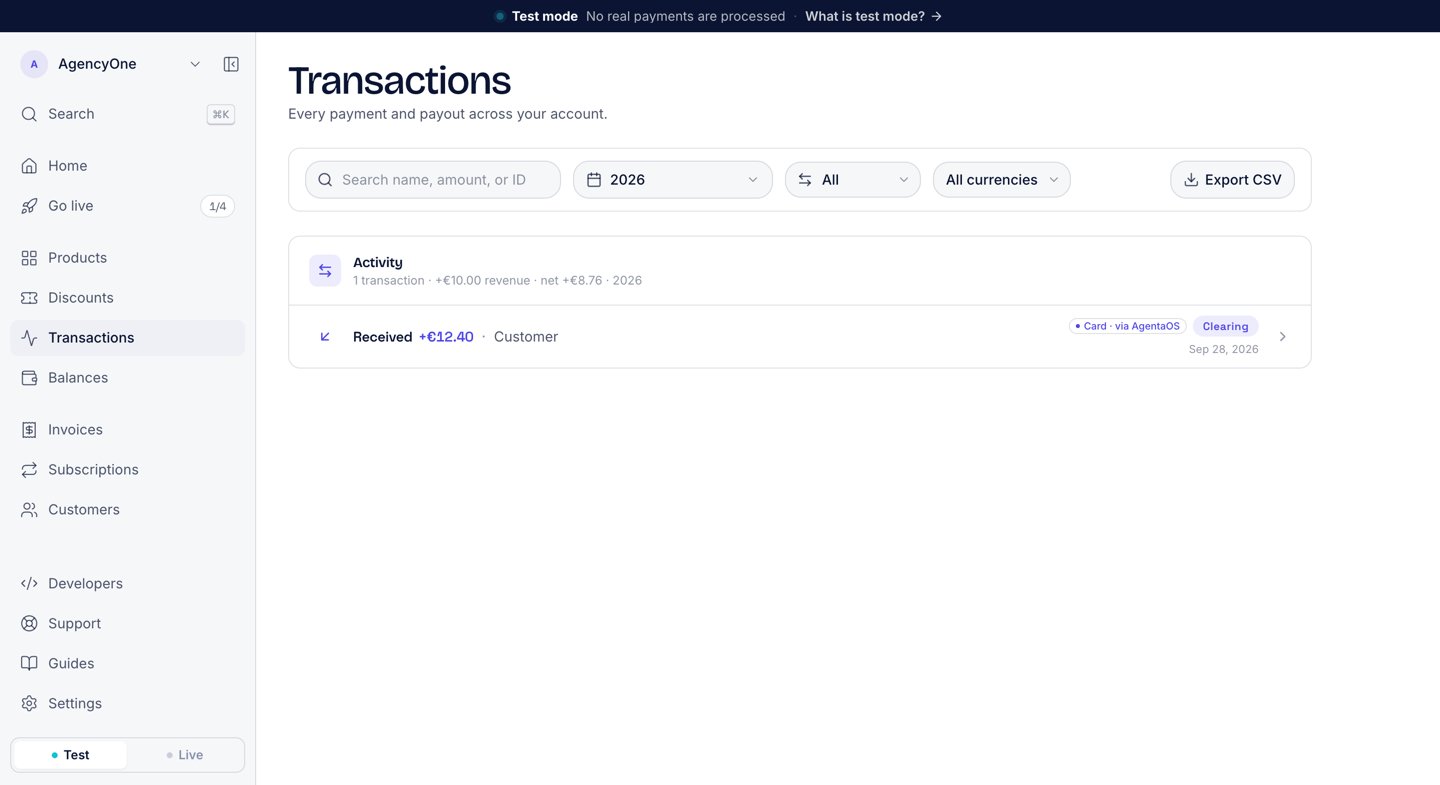
The Transactions page.
Balances
Balances shows your money in EUR and USD. It has three tabs:- Overview: your balance, split into Available now, On the way, and Reserve, with the Total at the bottom.
- Payouts: the payouts sent to you.
- Payout accounts: the bank accounts and wallets that receive your payouts.
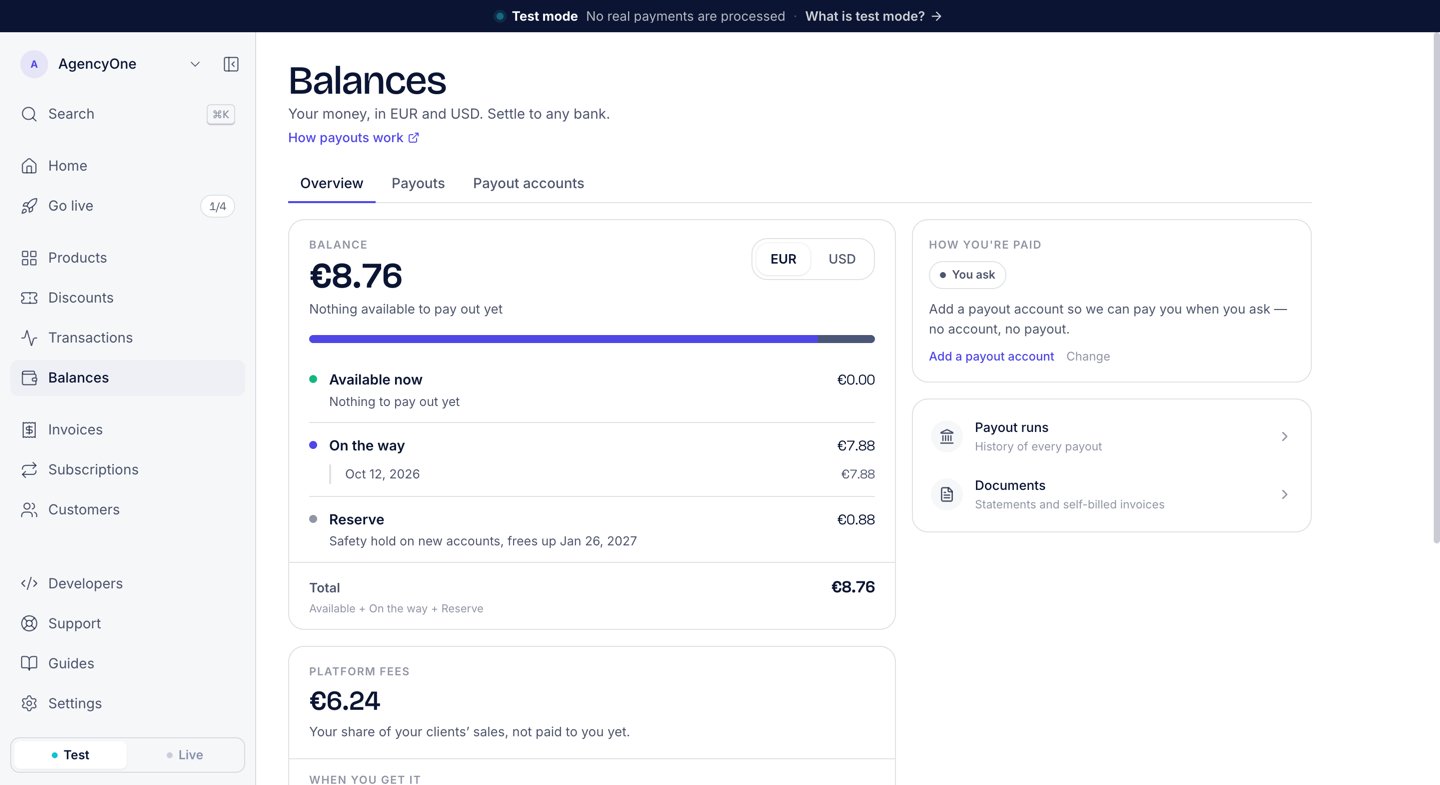
The Balances overview.
Invoices
Invoices lists every invoice in four tabs: All, Open, Paid, and Void. Every sale gets an invoice automatically, and Create invoice bills a customer by hand. See Invoices.Subscriptions
Subscriptions lists the subscriptions your buyers started by paying a subscription product. From here you can change a plan or cancel. See Subscriptions.Customers
Customers lists everyone who paid you or whom you billed, with their revenue and number of payments. See Customers.Businesses
Businesses lists the businesses you run from this account: another app of your company, or a client’s business. The figures above the list say how many there are, your share this month, and how many need you. To add one, click Add a business on that page or in the account menu at the top of the sidebar. Click a business for its page, or Open to switch into it. A business that a platform manages does not have this entry. See Platforms.Developers, Support, and Guides
Developers opens a menu with links to AI agents, API keys, and Webhooks, and to the docs, the API reference, the SDK, the CLI, and the MCP server. Support opens an email to the AgentaOS team. Guides opens these docs.Settings
Settings has six tabs:Profile
Your sign-in email and your passkey.
Business
Your business details, the logo on invoices and pay pages (a square PNG, JPG or WebP, 512 × 512 recommended, under 2 MB), and whether prices include VAT.
Team
Invite teammates to your account.
Developers
API keys, webhooks, and the sites allowed to show your embedded checkout.
Billing
Your plan and the fee for each payment method.
Crypto (experimental)
A legacy tab. You can ignore it.
Next steps
Quickstart
Your first payment in test mode, start to finish.
Accept your first payment
Create a product and pay it yourself.
How merchant of record works
Why verification exists and what AgentaOS handles for you.
Payment SDK
Everything in the dashboard, from code.