
A growth merchant of record
A merchant of record sells your product in its own name, and AgentaOS is the merchant of record on every sale. See How merchant of record works. The agentaos.ai home page defines the growth merchant of record:A Merchant of Record sells your product in its own name: it takes the payment, files the tax and handles disputes. A growth Merchant of Record also helps you earn more. AgentaOS includes an AI pricing agent that finds why users don’t pay and tells you what to charge.The home page FAQ adds: “Our AI pricing agent looks at your product and pricing page, scores seven areas, and sends you a score out of 100 with the fixes worth the most.” The Revenue & Pricing Audit is that report. Your published audit carries a score from 0 to 100 and a grade.
Get your audit
There are three ways to ask for the audit. Each one records the same request on your account.From the agentaos.ai home page
1
Paste your product link
On agentaos.ai, the home page says “Paste your product link. Get your free AI pricing review.” Paste your product link into the box under “Turn your users into paying customers.” and click Review my pricing.
2
Sign in and confirm your details
After you sign in, the welcome screen Nice to meet you. says “We’ll review yourapp.com’s pricing for free. A few details, then you’re in.” Your link is already in Website URL. Click Continue.
3
Finish the welcome screens
On the last screen, You’re in., the dashboard says “Your pricing review for yourapp.com is on its way, usually within 24 hours.” The audit is queued.
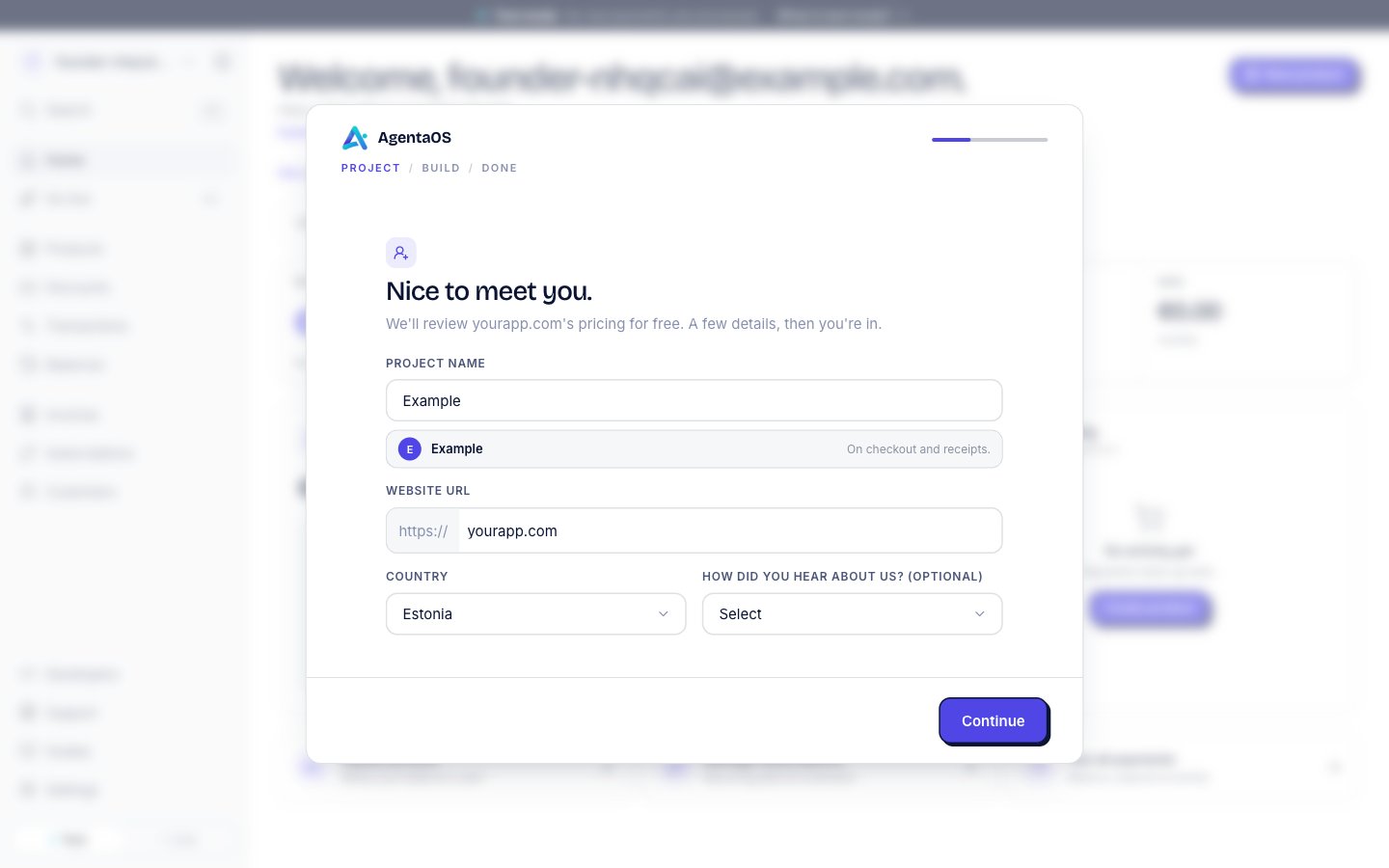
The welcome screen, with the product link from the home page in Website URL.
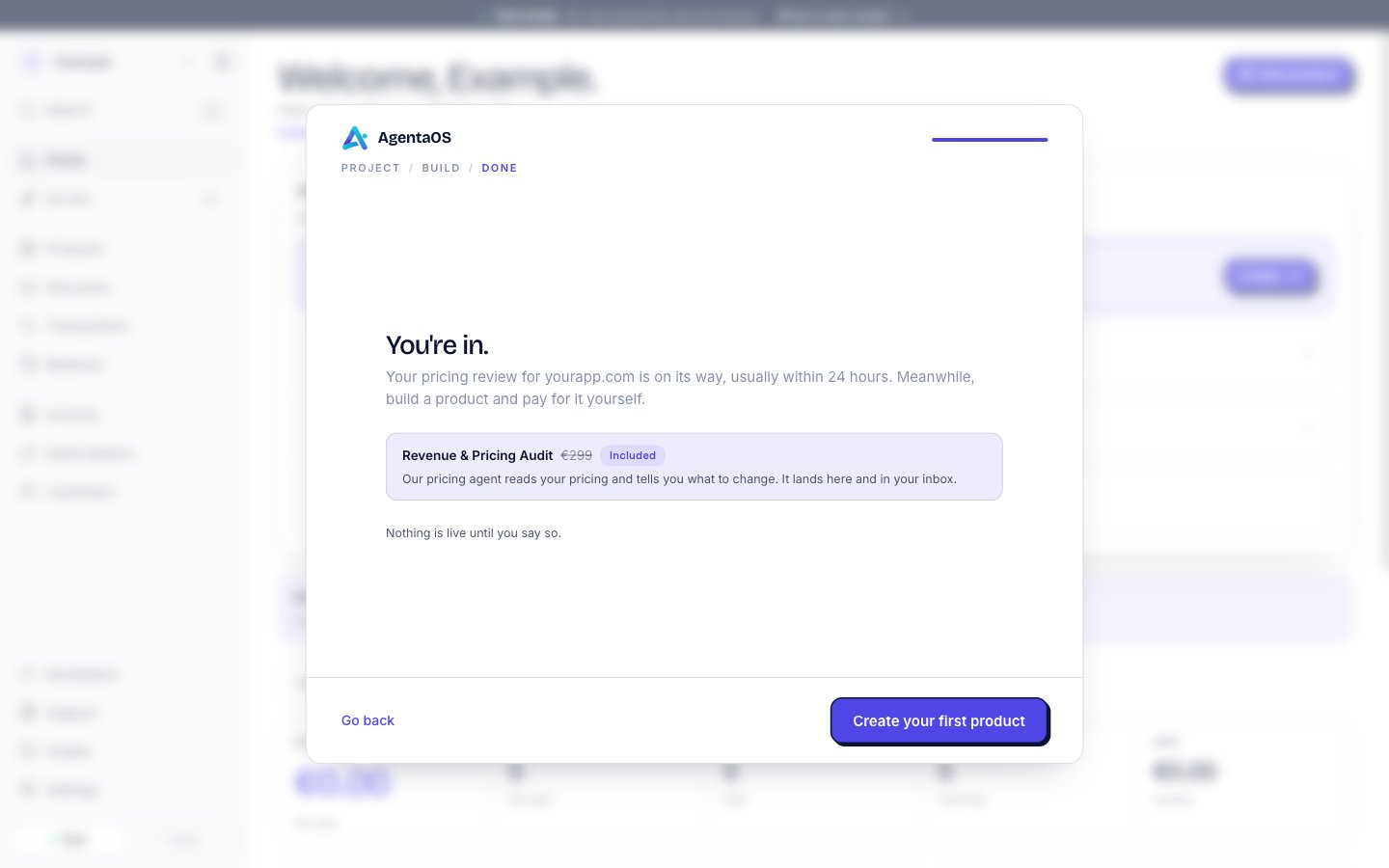
The last welcome screen confirms the audit.
From the Go live page
1
Open Go live
In the sidebar, click Go live. The first row is Your Revenue & Pricing Audit.
2
Start the request
Click Get my audit. The form opens and asks one question per screen.
3
Answer the questions
Enter your link on the first screen, and answer the optional questions. On the last screen, click Get my audit. The dashboard shows “Your audit is queued”.
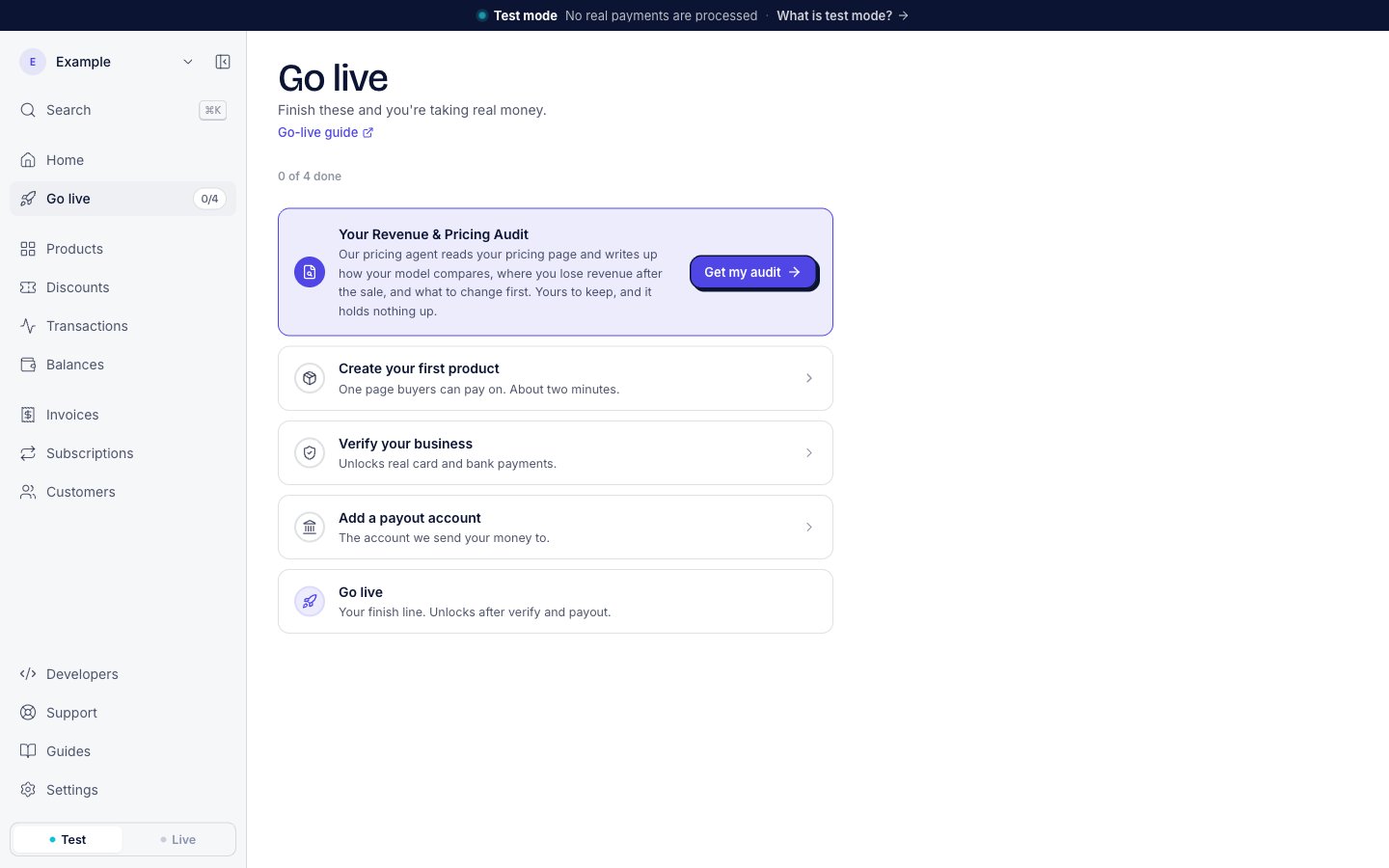
The audit row sits above the steps to real money. It is not one of those steps.
From Home
Until your first live sale, Home shows the line Get your Revenue & Pricing Audit when you have not asked for one yet. Click it to open the same form as on the Go live page.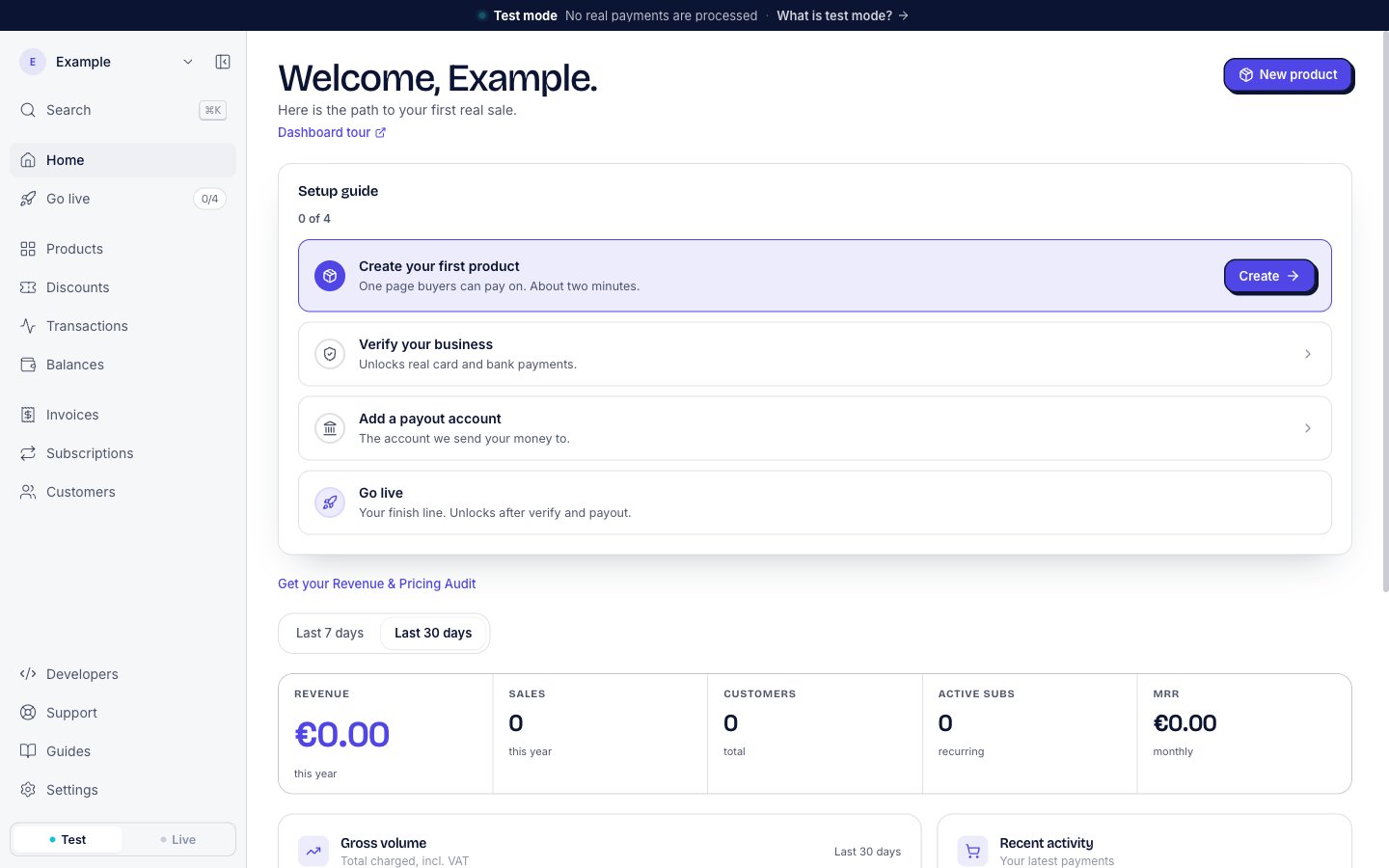
The audit line on Home, under the setup guide.
Information we ask for
We need a live web page where we can see your price. The form asks four questions. Only the first one is required.
The form says the last question is “The biggest single driver of dispute risk, so it shapes the report.” The welcome screens send your link only.
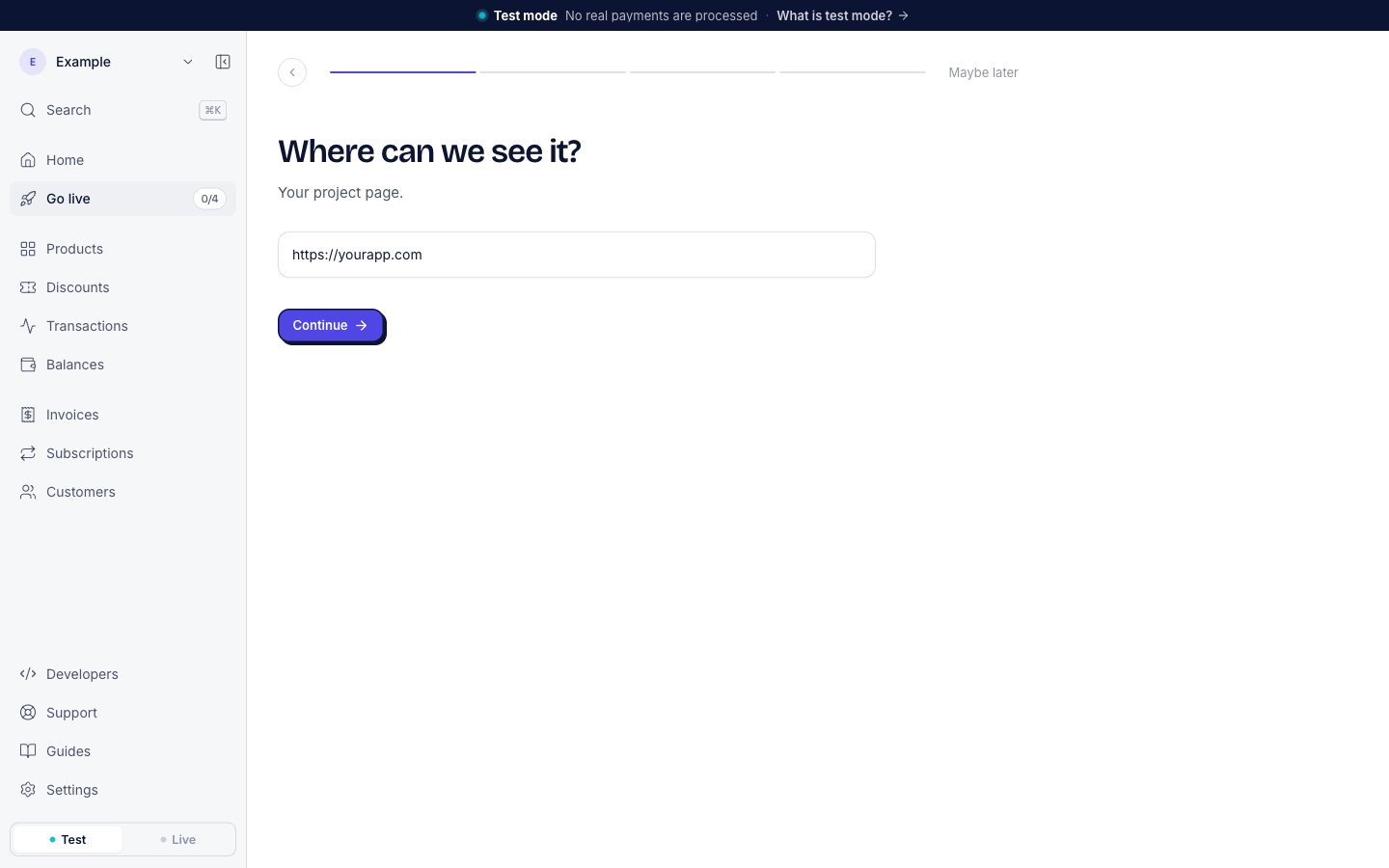
The first question. Only the link is required.
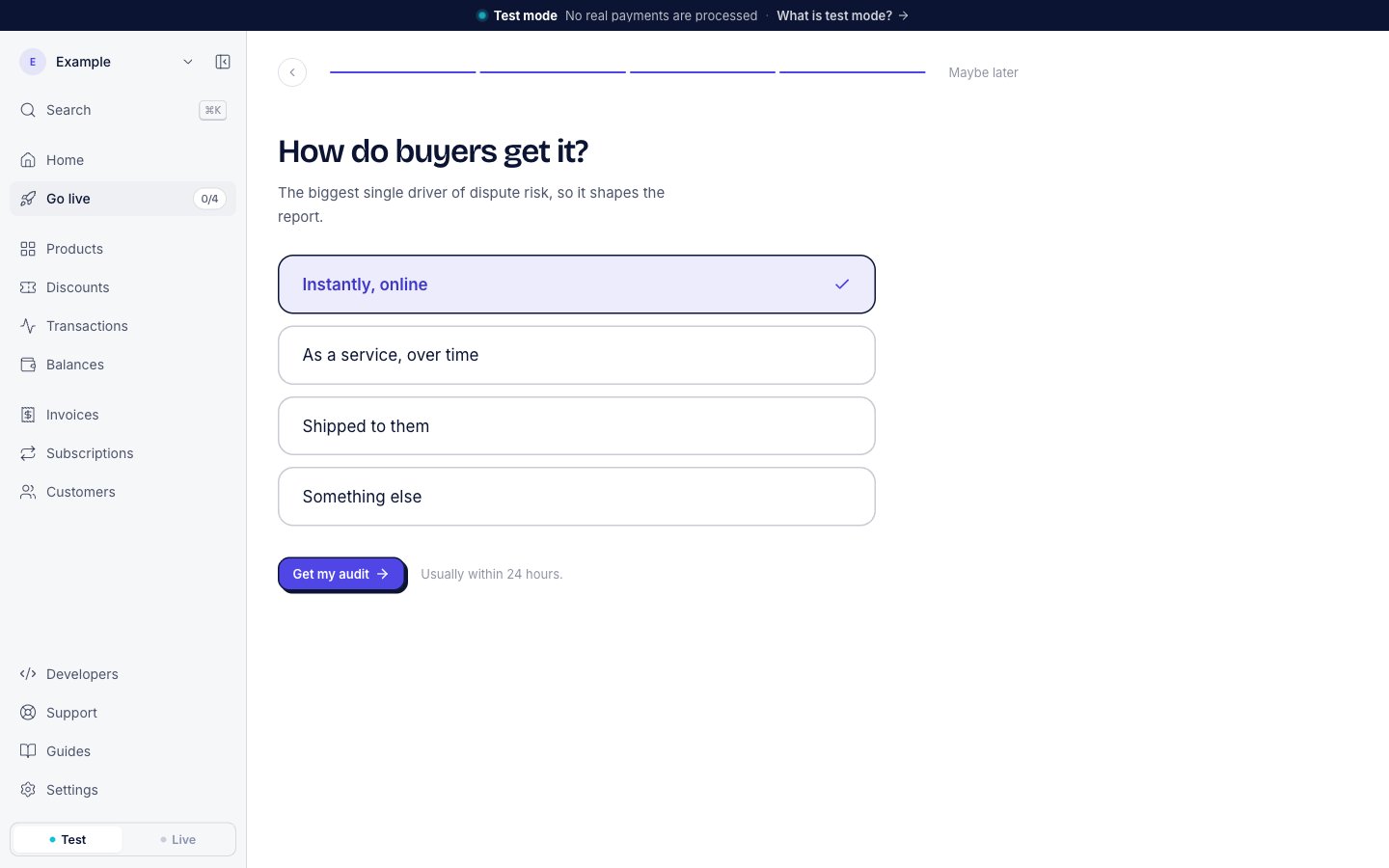
The last question, with the Get my audit button.
The pricing agent and the turnaround
Our AI pricing agent reads your pricing page and writes the audit. The form says “Usually within 24 hours.” Until the audit is ready, the Go live row says “Our pricing agent reads your pricing and tells you what to change. It lands here and in your inbox.” and shows Writing it.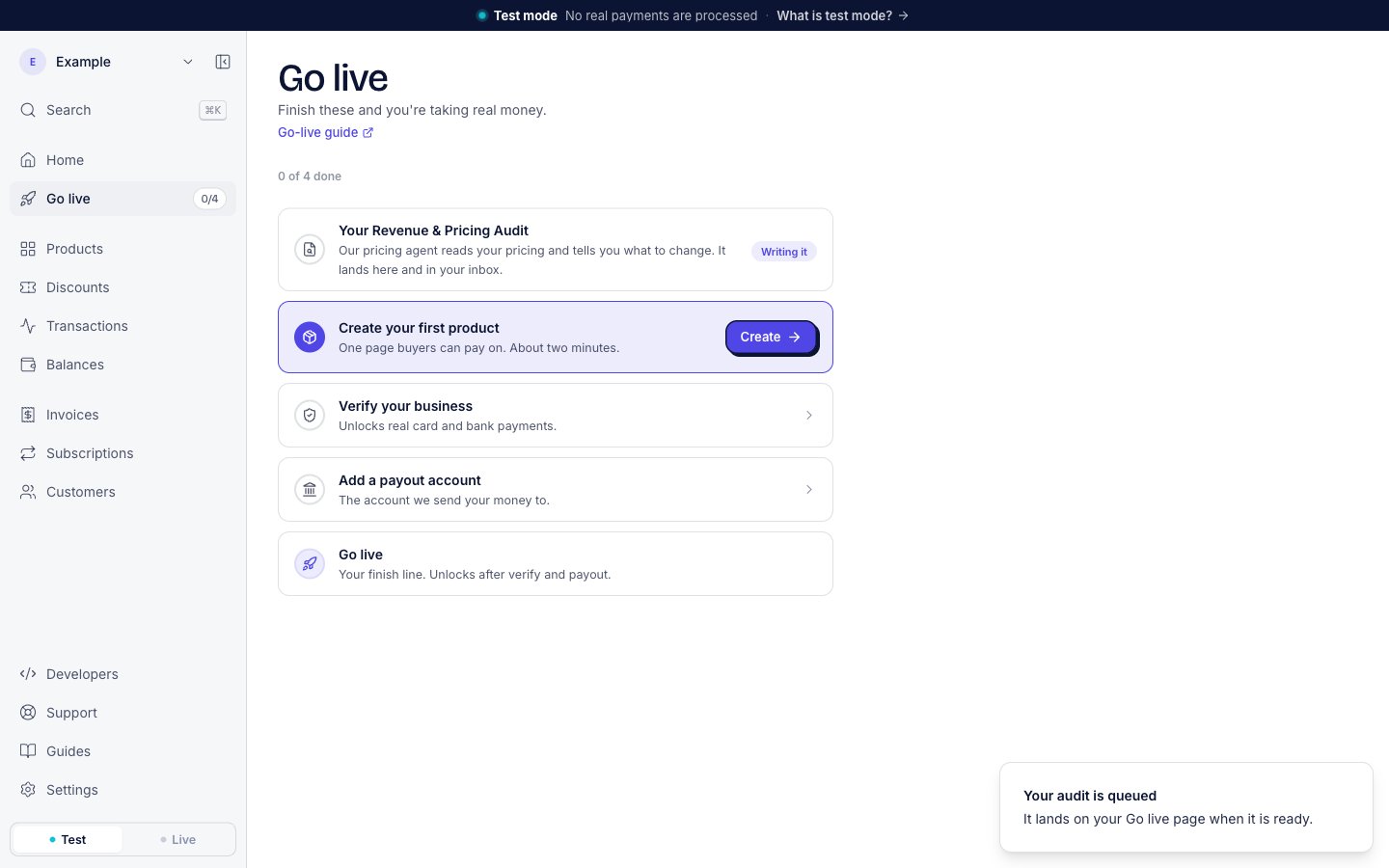
The audit row while the audit is being written.
The finished audit
The audit is a PDF. When it is ready, three things change:- You get an email with the subject “Welcome. Your pricing audit is in.” It lists what the report covers, and its Read your audit button opens the Go live page.
- The Go live row changes to Your audit is ready, with a Read it link that opens the PDF. When the audit has a grade, the row shows it, for example “Scored C.”
- Home shows Your audit is ready and Read it, until your first live sale.
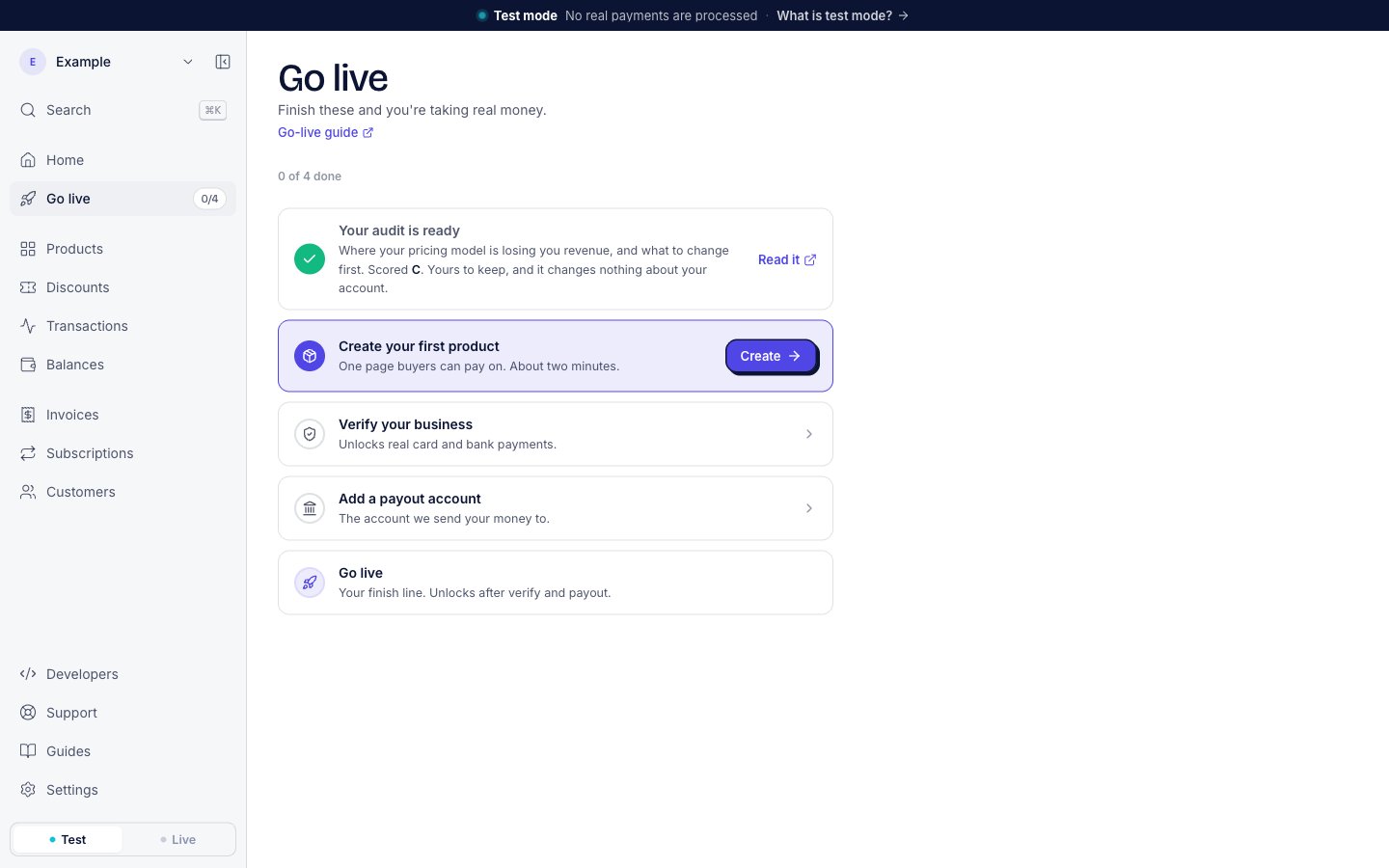
The Go live row after the audit is published.
- How your pricing compares to the rest of your category.
- Where you lose revenue after the sale.
- How much refunds and chargebacks take back.
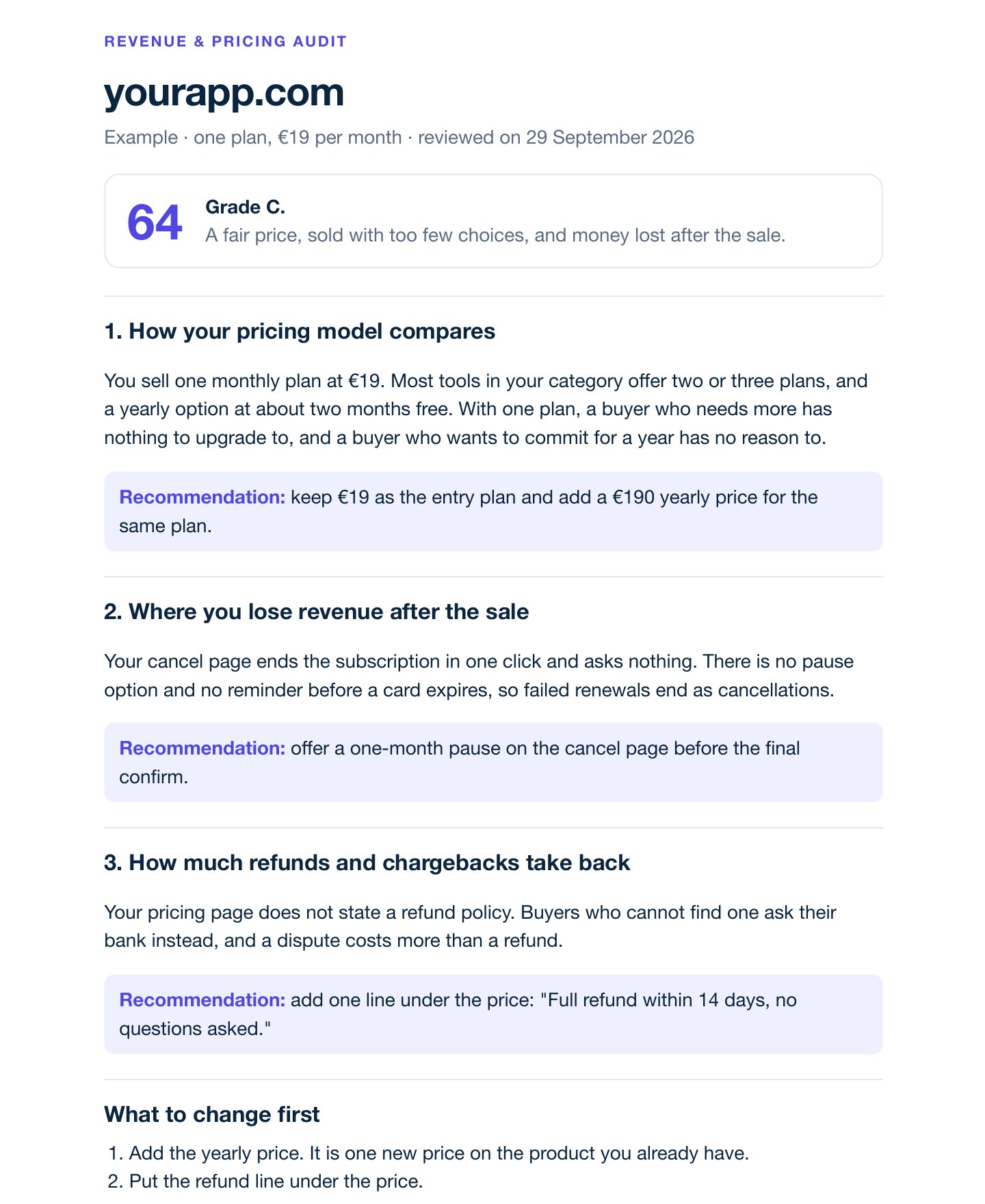
An example audit: a score, a grade, one finding and one recommendation per area, and the changes to make first.
Use the findings
To act on a recommendation, change your products and plans:- A new price or a new plan. Each price is its own product. A monthly plan and a yearly plan are two products. See Products and payment links.
- A trial, or an upgrade path. Set the trial on the plan, and move subscribers between plans. See Subscriptions.
- A launch offer. Give buyers a code to type at checkout. See Discount codes.
One audit per business
Each business gets one audit. When you send the form again, we keep your first request and update the link and answers that you gave. After the audit is published, the Go live row shows Read it in place of Get my audit.Next steps
Products and payment links
Create a product at the price the audit suggests.
Subscriptions
Add a yearly plan, a trial, or an upgrade path.
Go live
Verify your business and take real money.
How merchant of record works
AgentaOS is the legal seller on every sale.