
https://app.agentaos.ai/pay/…. You share that link, and each buyer who opens it gets their own checkout. One link can be paid any number of times.
AgentaOS is the merchant of record on every sale. Buyers pay by card, and on EUR sales also by bank transfer. The checkout asks for the buyer’s country, adds the correct VAT, and issues the invoice. You do not register for VAT in the buyer’s country. See How merchant of record works.
The API calls a product a payment link. Both names mean the same object, and the product’s ID is the linkId in the API.
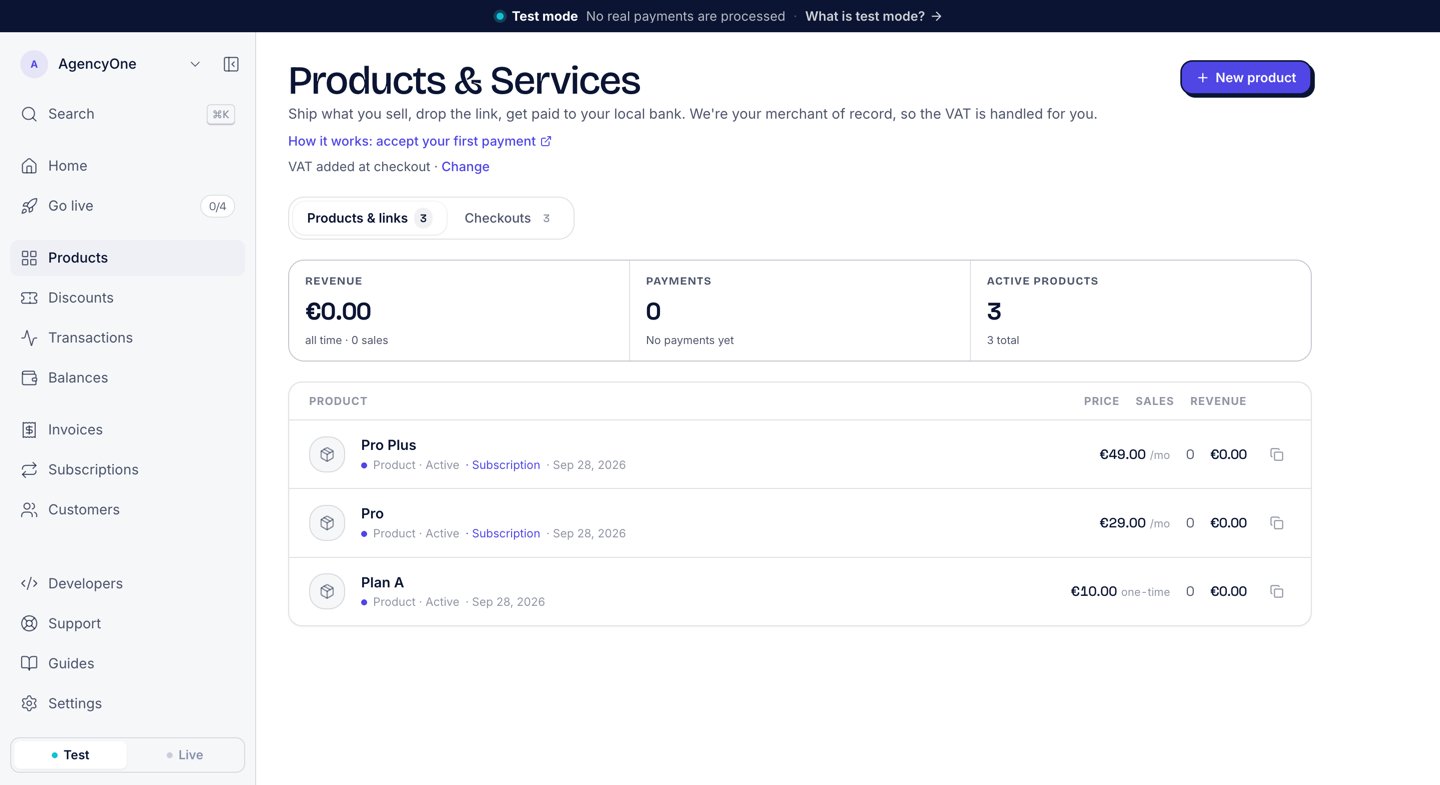
The Products page. Each row shows the price, the pricing type, and the sales and revenue for that product.
Create a product in the dashboard
1
Open the form
In the sidebar, click Products. Then click New product.
2
Fill in the details
Under Details, enter the Product name and a Description. Add a Product image if you want one. The buyer sees all three on the checkout. The image runs across the top of the checkout summary, 190 px tall and cropped to fill, so use a landscape image of about 2.3:1, for example 1200 × 520, with the subject centred: a PNG, JPG or WebP under 2 MB, served over HTTPS.
3
Set the price
Under Pricing, enter the price and pick EUR or USD. Choose One-time or Subscription. For a subscription, pick Monthly or Yearly.
4
Set a redirect (optional)
Under After payment, click + Redirect buyers after payment. Enter a Success URL and a Cancel URL.
5
Create the product
Click Create product. The confirmation screen shows the product as live, with Copy link to copy its buyer link.
4242 4242 4242 4242, any future date, and any CVC. Nothing is charged. See Test mode and testing.
Subscriptions and trials
When you choose Subscription, two more fields appear. Free trial (days) delays the first full charge by that number of days, up to 730. Trial price sets what the whole trial costs; leave it empty for a free trial. See Subscriptions for what happens after the buyer subscribes. In live mode, Subscription stays locked until your business is verified. See Go live.VAT on your prices
The Products page shows how VAT applies to your prices: VAT added at checkout or Prices include VAT. Click Change next to it to set the default for your account under Settings → Business. The Prices include VAT checkbox on the product form changes it for that one product.Share the buyer link
Every product row on the Products page has a copy button that copies the buyer link. Send that link by email or in a chat, or put it behind a Buy button on your site. The link carries no information about who the buyer is. When your app must know which of your users paid, create a checkout from your server instead. See Checkouts. To show the checkout inside your own page, open the product and use Embed on your site. See Embedded checkout.Custom checkout fields
A product can ask the buyer extra questions before they pay, such as an attendee name or a company. The checkout shows these fields under the line Asked by followed by your business name. Each field is required or optional. You add custom fields through the API withcheckoutFields. The product form in the dashboard does not have them.
key, a label, a type (text, email, tel, or select), and required. It can also have a placeholder, and options for select.
From code
You can create and manage products with the SDK, the CLI, or the REST API. The full parameter and response reference is in Payment links (SDK) and agenta products.Create a product
- SDK
- CLI
- cURL
amount is in currency units: 49.99 means €49.99, not cents. See the money model. The CLI creates test-mode products; create live products in the dashboard.
One-time vs. subscription
A product istype: 'one_time' by default. Every payment is independent, and the link can be paid any number of times. Set type: 'subscription' to make a recurring plan. A subscription needs a billingInterval.
Retrieve, list, and cancel
- SDK
- CLI
- cURL
{ items, total, hasMore }. Canceling a product stops new checkouts on its link. Checkouts already in progress and subscriptions already running from it continue. Activating the product switches the same link back on: the id and the payment history stay, and new checkouts start at once. In the dashboard, Deactivate and Activate are the same control on the product page.
Next steps
Checkouts
What the buyer sees, and how to start a checkout from your server.
Subscriptions
How a subscription product becomes a running subscription.
Discount codes
Codes a buyer types at checkout.
Webhooks
Get notified when a buyer pays.