
Refunds
Ask for a refund
1
Open the sale
In the dashboard, click Transactions. Click the sale.
2
Request the refund
Below the payment details, the page says: “Need to undo this sale? Ask for a refund — the buyer gets the whole amount back once AgentaOS approves it. Nothing moves until then.” Click Request refund.
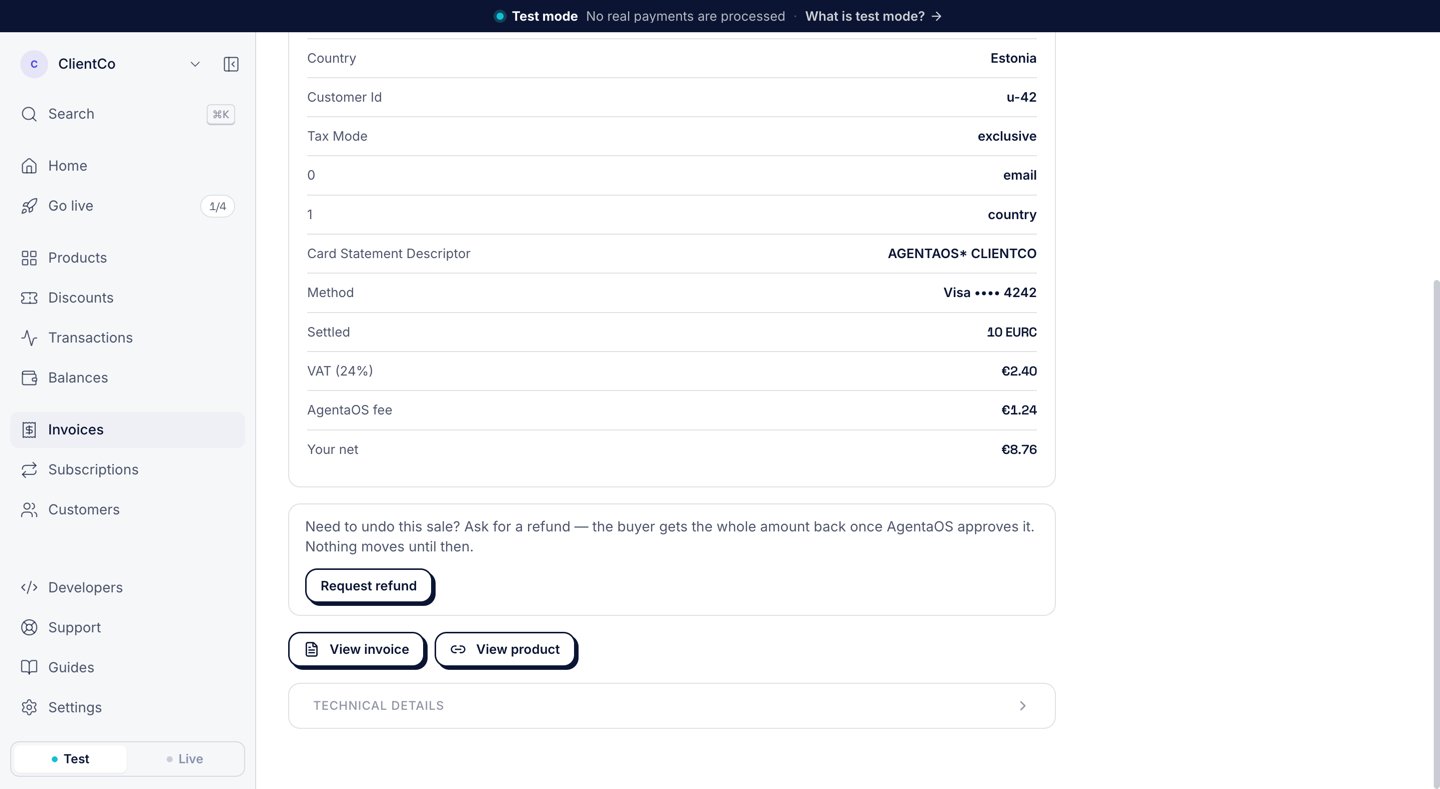
The refund block on a sale, below the VAT, the AgentaOS fee and your net.
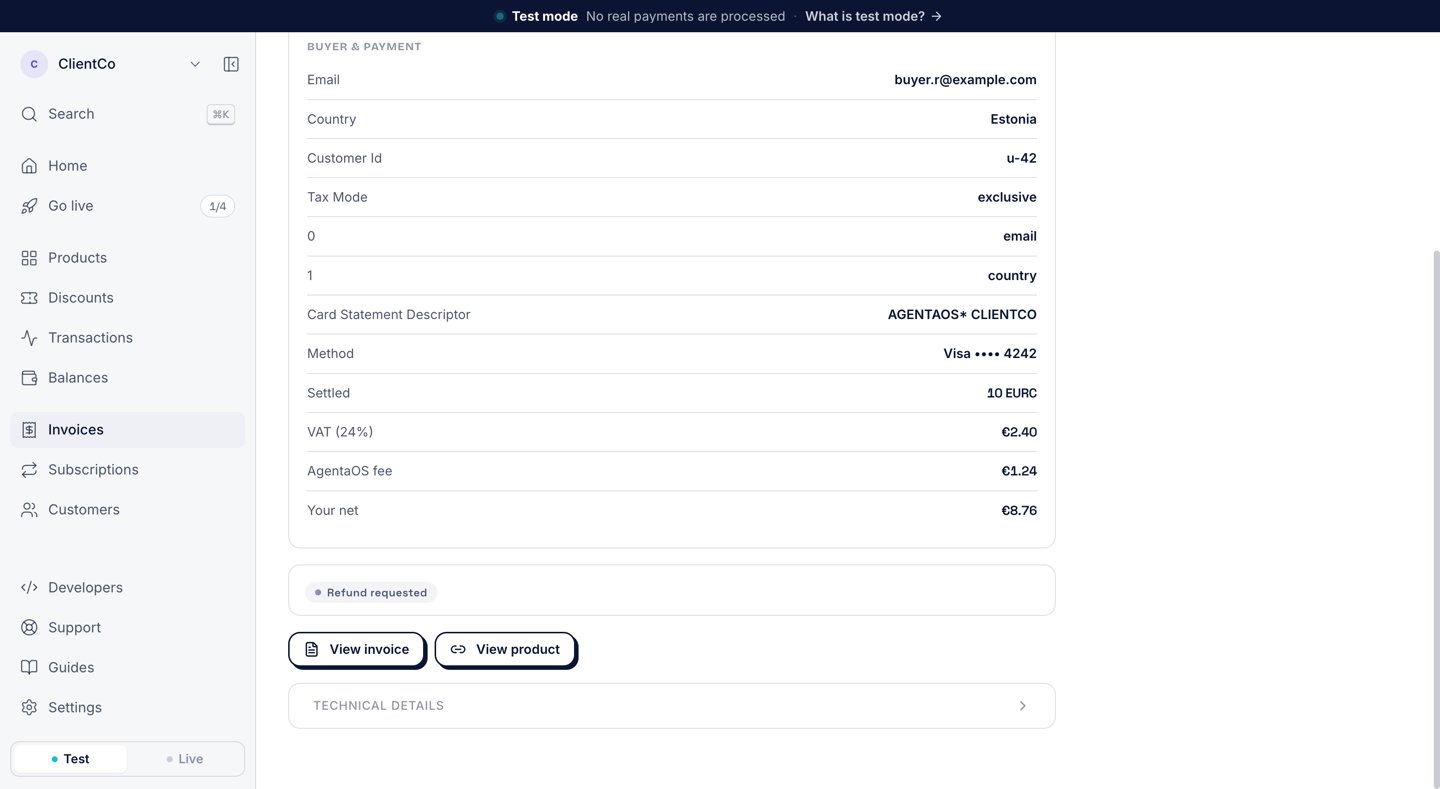
After you click Request refund, the sale shows Refund requested until AgentaOS decides.
Approval or decline
AgentaOS reviews the request and does one of two things:- Refunds the buyer. The buyer gets the whole amount back on the card they paid with. The sale shows Refunded.
- Declines the request. The sale shows Refund declined, with AgentaOS’s note below it. You can read the note and ask again.
Refunds are always in full
A refund returns the whole amount the buyer paid, VAT included. You cannot refund part of a sale.Refunds and your balance
A refund takes back only what the sale paid you. The AgentaOS fee on the sale is not charged to you again, and it is not returned to you. A refund has no extra fee.
The payout statement shows the amount taken back as a Returned · Refunded sale line. See Payout statements.
If a platform manages your account
If a platform takes a share of your sales, the platform returns its share too. The platform pays back what it already received from that sale. A share that was not paid yet is never paid.Ask with the API
SendPOST /gateway/transactions/{id}/refund-request with the sale’s id, signed with your secret key. The request follows the same steps as the button.
Disputes and chargebacks
A dispute starts when a buyer asks their bank to reverse a charge. If the bank decides for the buyer, the reversal is a chargeback. AgentaOS finds new disputes automatically and answers the buyer’s bank as the merchant of record.Dispute notices
- An email with the subject “A buyer wants their €12.40 back. We need a few things.”, with the amount of your sale. When the bank sets a date for an answer, the email gives it.
- On the sale, in the transaction list, the status Disputed.
- On your balance, a Paused (disputed) row: “We dispute these for you. Back if we win.” Open the row to see Sales on hold and Dispute fees charged.
Send your evidence
You do not file anything from the dashboard. Reply to the dispute email with what you have, before the date in the email, or as soon as you can when the email has no date. The email asks for:- What the buyer bought, and when they got it.
- Any logs that show they used it.
- Your messages with them.
- Your refund and delivery terms as they stood that day.
If you win
AgentaOS gives back everything the dispute took: the sale’s money and the dispute fee. The sale returns to your balance and goes out in a later payout, like any other sale. You get an email: “You won that dispute. The money is back.”If you lose
The sale shows Charged back, and its money does not come back. What you owe depends on whether the sale was already paid to you:
The dispute fee is €35 on a EUR sale and $35 on a USD sale, once per dispute. AgentaOS takes what you owe from your next payouts. The payout statement shows it as a Returned · Charged back sale line.
If a platform manages your account and a dispute opens after its share was paid, the platform returns that share. A share that was not paid yet is held, and it is never paid if you lose. The platform does not pay the dispute fee.
How the reserve covers a chargeback
New accounts have a Reserve row on the balance: “Safety hold on new accounts”. AgentaOS holds back part of each sale for a period. If a sale is charged back while its reserve is still held, AgentaOS keeps that reserve and takes it off what you owe.Costs at a glance
How to avoid disputes
A buyer who does not recognize a charge may dispute it. AgentaOS helps the buyer recognize the charge and find you:- The card statement names you. The charge shows as
AGENTAOS*followed by your business name, for exampleAGENTAOS* CLIENTCO. The sale page shows it as Card Statement Descriptor. - The buyer gets a receipt by email. The receipt is from your business, says how the charge shows on the card statement, and lets the buyer reply to you directly.
- Buyers have a help page. Why was I charged by AgentaOS? tells a buyer how to find the purchase and to contact you first for a refund.