
The Invoices page
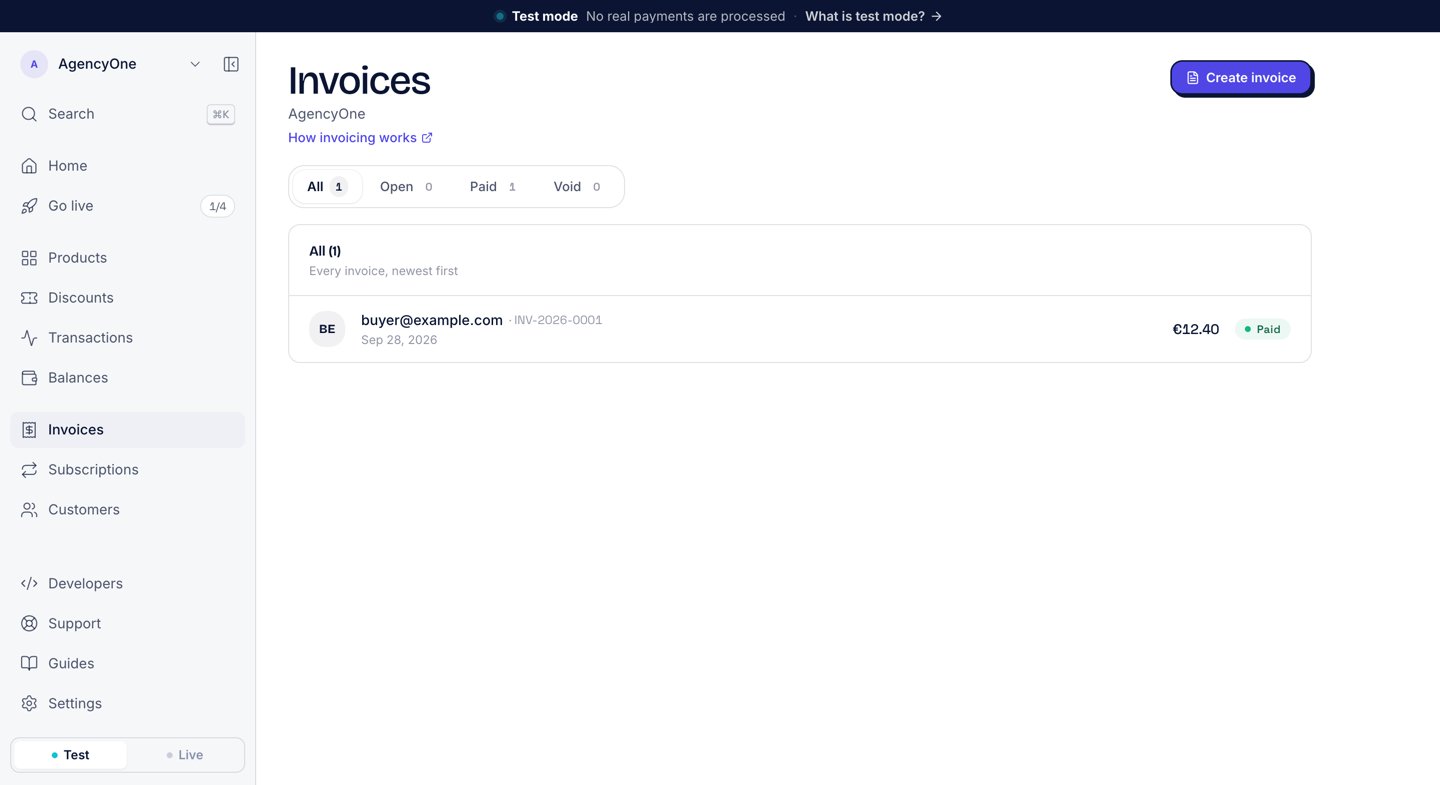
The Invoices page. The tabs split invoices by status.
- All: every invoice, newest first.
- Open: invoices sent and waiting for payment. An open invoice past its due date shows Overdue.
- Paid: paid invoices for a period you pick, with Revenue, VAT, and Invoices totals at the top. A paid invoice with a chargeback shows Disputed or Charged back.
- Void: voided invoices, kept for your records.
When an invoice is issued
A sale from a product’s buyer link gets its invoice when the payment clears. The invoice goes straight to Paid. An invoice you create by hand, or a checkout your server creates, gets its invoice when you create it. That invoice sits in Open until the customer pays, then moves to Paid. When the payment clears, AgentaOS also emails the buyer a receipt. See Receipts.Create and send an invoice
1
Start a new invoice
On the Invoices page, click Create invoice.
2
Fill in Bill to
Enter the customer’s name, email, and country. Add their VAT number if they are a business. The country sets the VAT.
3
Add line items
Enter an item description, a quantity, and a price. Click Add line item for each extra line. Add Notes for the customer if you want.
4
Set the invoice settings
Under Invoice settings, choose the Currency and the Payment terms: Net 7, Net 14, Net 30, or Due on receipt.
5
Review and send
Click Review & send. Check the email under Delivery, then click Send to followed by the customer’s name. To share the link yourself instead, click Create without sending.
Download a PDF, a statement, or a CSV
- Invoice PDF: the seller and buyer details, the line items, and the tax breakdown (subtotal, tax, total).
- Statement: on the Paid tab, click Download statement. The PDF covers the period you picked, with the opening and closing figures, every transaction, and a VAT summary by rate.
- CSV: on the Paid tab, click Export CSV. The file has 23 columns for accounting software, including the invoice number, the tax name, rate, and amount, a
total_eurcolumn, and the buyer’s name, company, country, and VAT number.
Void an invoice
Voiding marks the invoice as void in your records. It does not refund the buyer or touch the payment. Use it to correct a bookkeeping mistake. Only an owner or an admin can void an invoice. On the Paid tab, click the void icon in the invoice’s row, then click Confirm void. To cancel an open invoice that the customer will not pay, void it through the API (below).From code
Every invoice on the Invoices page is also available through the API. The full reference is in Invoices (SDK) and agenta invoices. Amounts on an invoice are in currency units:19.99 means €19.99.
- SDK
- CLI
- cURL
status filter takes all, issued, paid, or voided. An invoice’s status is issued (the Open tab), paid, or voided. A list call returns { items, total, hasMore }.
Next steps
Receipts
The receipt a buyer gets for every paid invoice.
Customers
The buyer behind each invoice.
Tax
How VAT is calculated for the buyer’s country.
Statements
The documents that come with each payout.