
In the dashboard
In the sidebar, click Invoices, then open a paid invoice from the Paid tab.- Download receipt saves the receipt PDF.
- Resend invoice emails the receipt to the buyer again. The button is grayed out when the invoice has no buyer email.
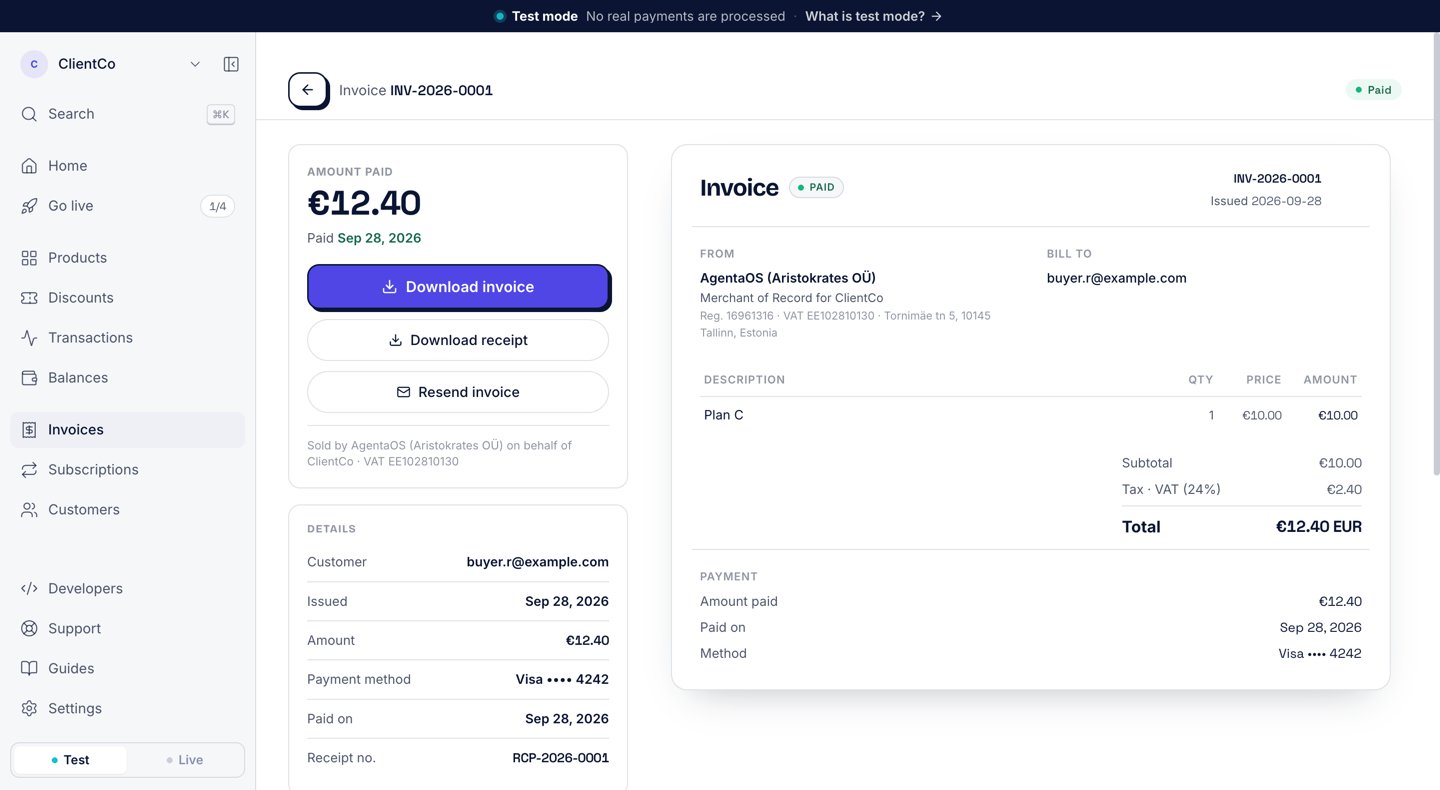
A paid invoice: Download invoice, Download receipt and Resend invoice.
Send a receipt again
Resending goes to the buyer’s email on the invoice, the same address as the first receipt. Only an owner or an admin can resend a receipt.- SDK
- CLI
- cURL
{ ok: true, sentTo }. It fails when the invoice is not paid, or when the invoice has no buyer email.
Download the receipt PDF
- SDK
- CLI
- cURL
Next steps
Invoices
The invoice behind every receipt.
Customers
Where the buyer’s email comes from.